For high schools How it works Replies with scholarships What the counselor sees Families Prep courses Profile test and SAT/ACT Fairs and events More For students For universities Universities on University Access All courses Blog Start here Book a presentation Support Create my school's account Sign in Sign in Counselors Students Families FPP Hub Create my school's account

Start here

See the three screens in 30 minutes. Or join today.

The presentation is online and with no obligation: student area, counselor area and family area. If you would rather not wait for the meeting, the school account is ready in a few minutes, at no cost.
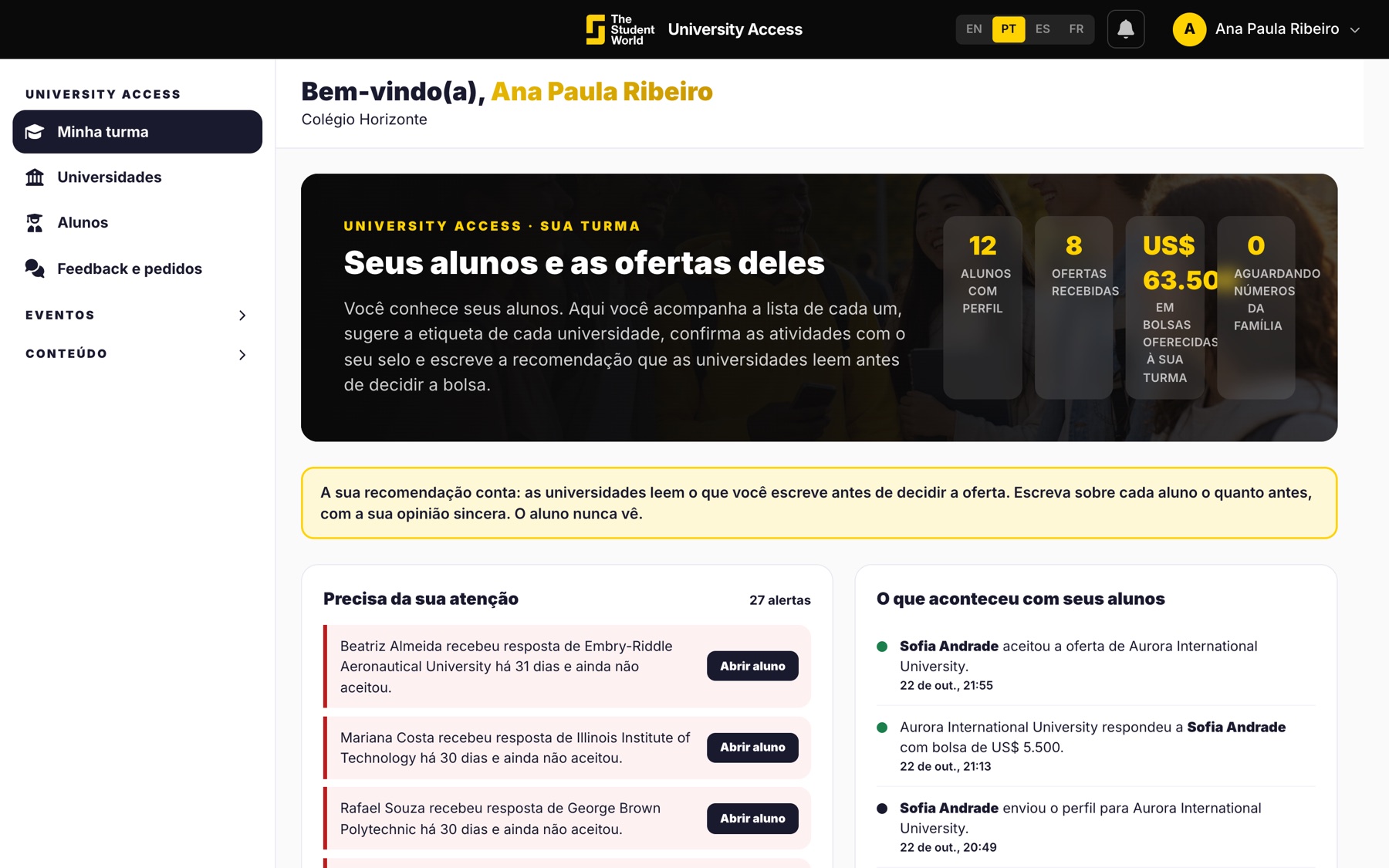
Counselor screen, one of the three the presentation shows

What you see in the conversation

About 30 minutes, by video, at the time that suits you best. We open sample accounts: a student, a counselor with their class and a guardian.
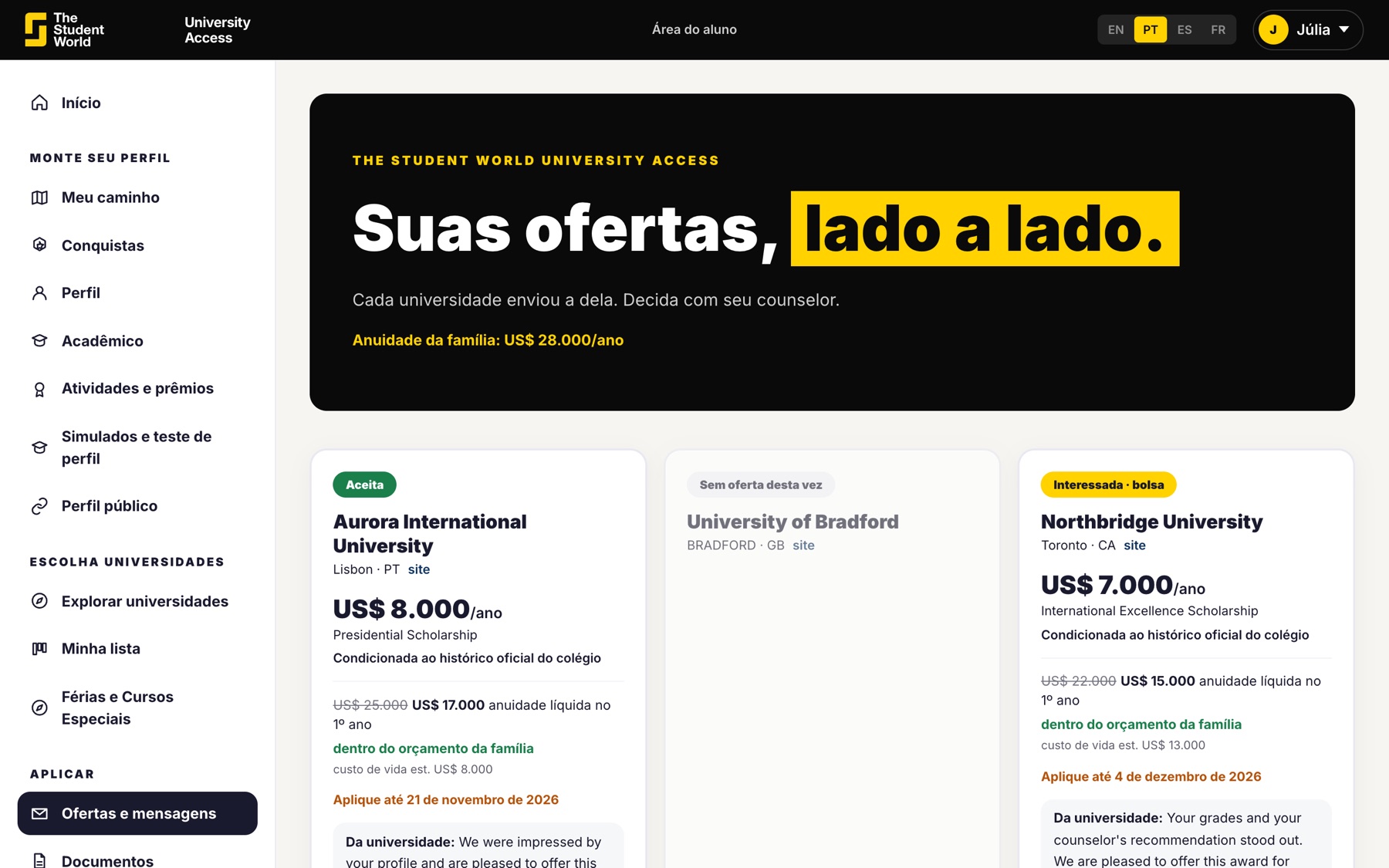
  • How the student builds the profile and chooses universities.
  • How the university replies with a scholarship.
  • What you follow day to day.
Offers in the student area

How to request it

In the form, you leave your name, school and email. We reply with options for day and time. The data is used only to set up this conversation.
  • No cost and no commitment to sign up for anything.
  • If it makes sense, you create the account and send the link to students the same day.
  • If you would rather skip the meeting, the create account button is on this page.
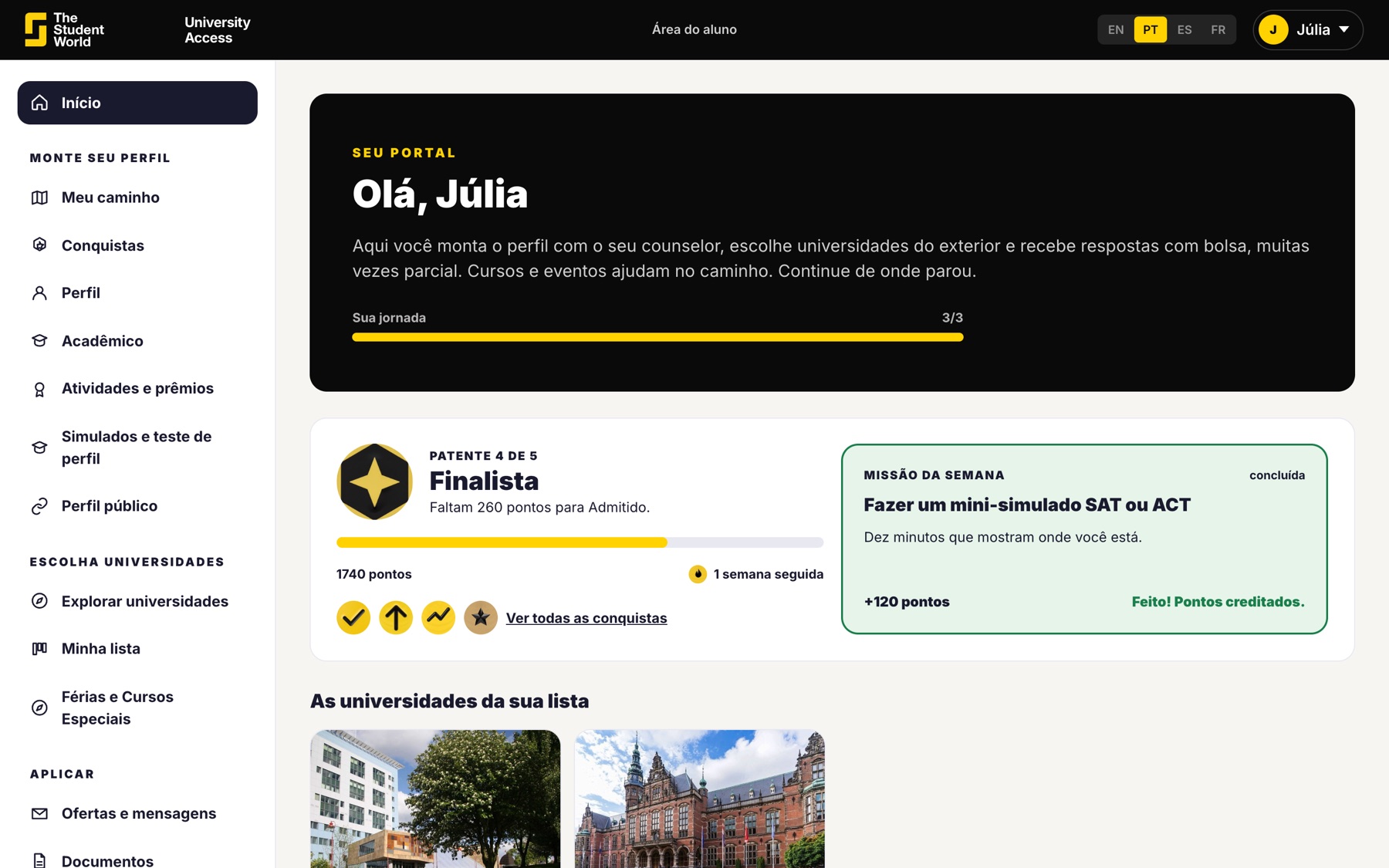
Student area home

Is your school already a partner?

The presentation is for those not yet using it. Those already taking part in the fairs or with an account talk to support, and the message goes to the right person.

  • Account, students and universities: support.
  • First time: school account or presentation.
  • Students and families have their own entry, in the footer.
Counselor with students

Most start with the account, not the meeting.

Name, school and email. No card. Students join through your link.

Keep reading

Other University Access pages.