For high schools How it works Replies with scholarships What the counselor sees Families Prep courses Profile test and SAT/ACT Fairs and events More For students For universities Universities on University Access All courses Blog Start here Book a presentation Support Create my school's account Sign in Sign in Counselors Students Families FPP Hub Create my school's account

How it works

From the profile to the application, in five steps.

The student builds the profile with you, chooses universities and receives their replies based on what was reported: a scholarship valid now or confirmed after the application. Nothing moves without the student deciding, and you see every stage.
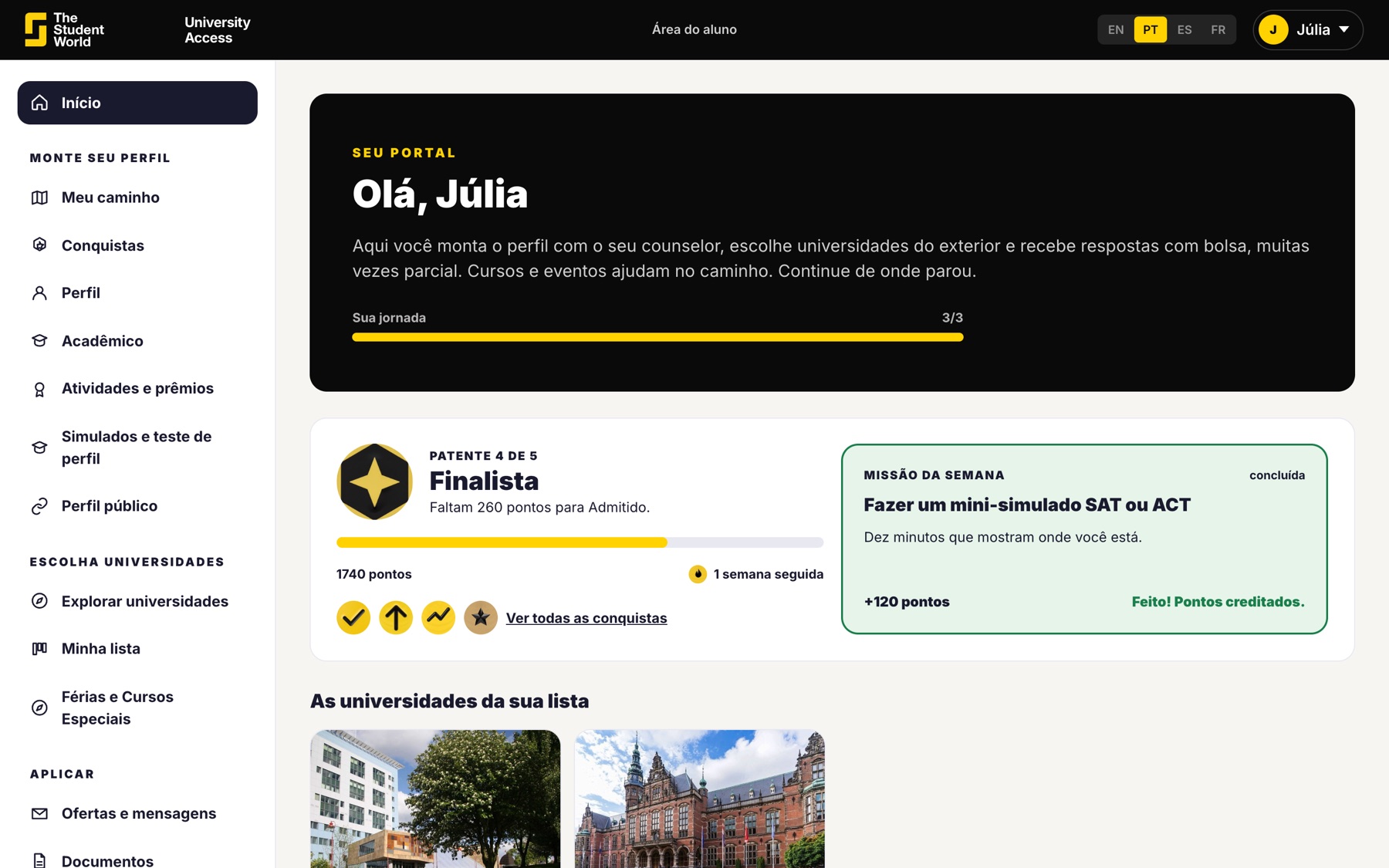
Student home screen on University Access

1 and 2. The profile and the list

The student enters grades, English level, interests and the amount the family can pay per year. Then builds a balanced list: dream university, good option and most likely option. Your suggestion appears next to the student's choice.
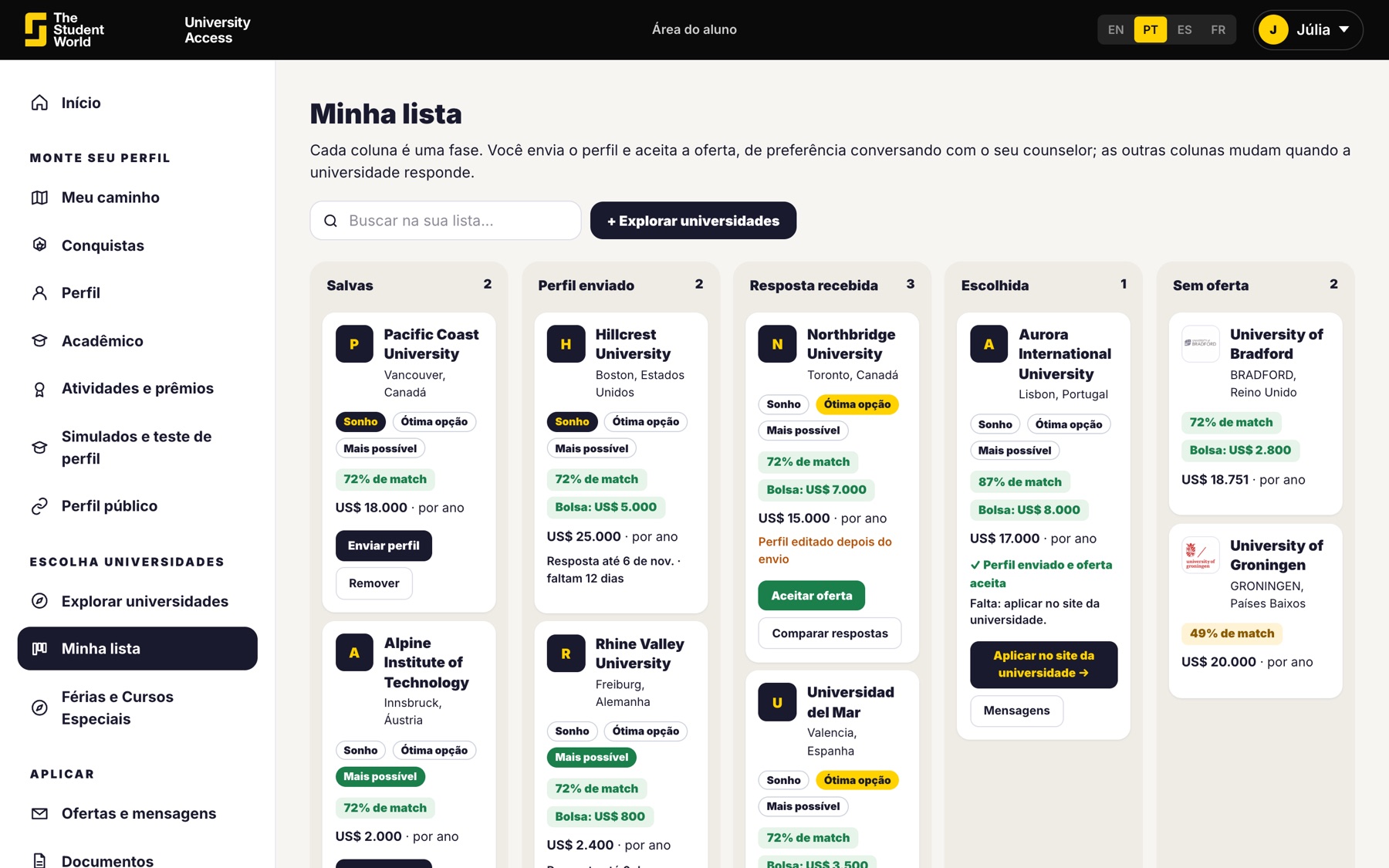
  • Students can start in 9th grade.
  • The university sees only the first name.
  • The profile is only sent from 11th grade on.
The student's university list

3. The university replies

Each one replies according to its own scholarship table: offers a scholarship, invites the student to apply, asks a question or says no. The student sees the replies together, with the yearly cost.
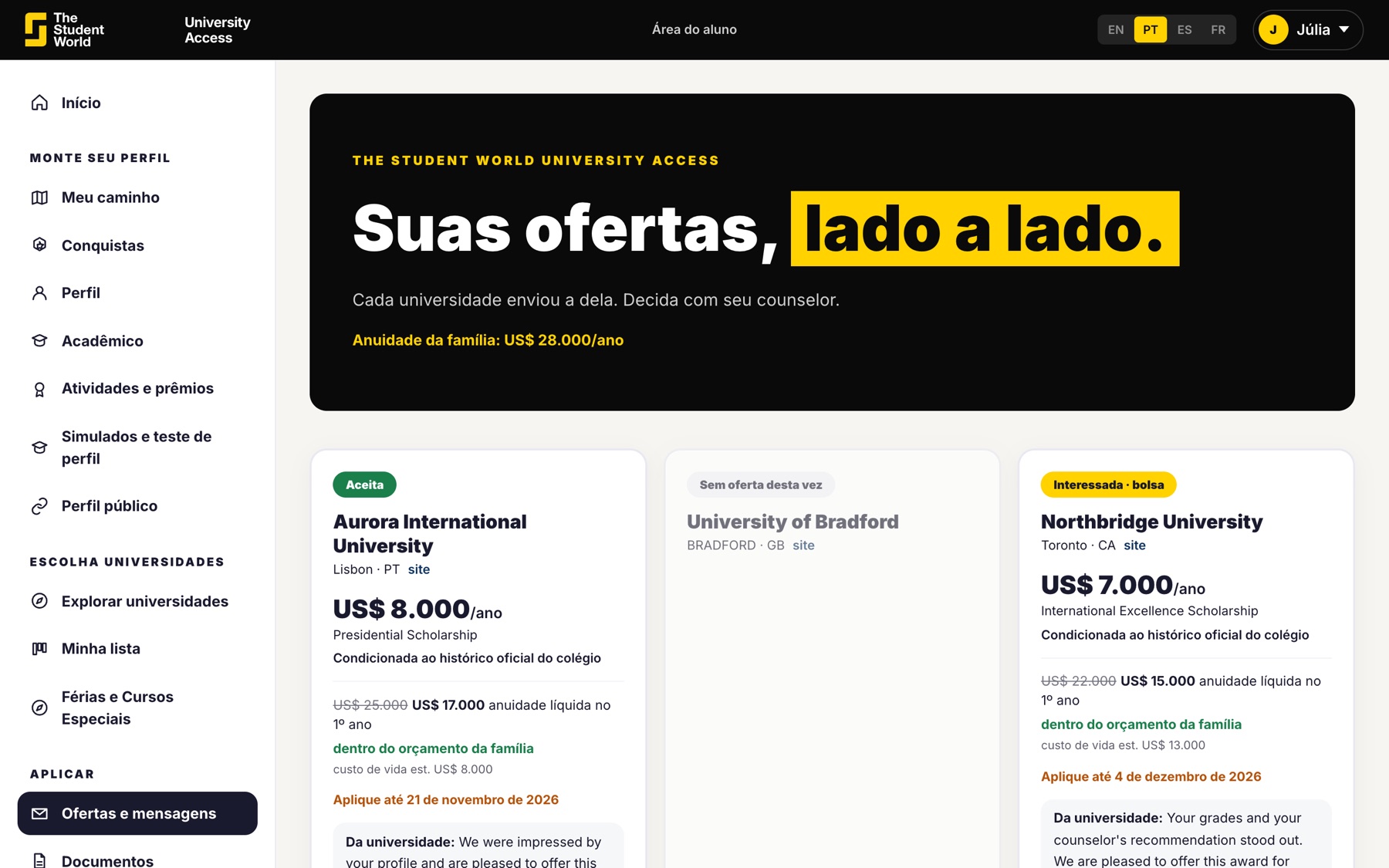
  • Partial scholarship, decided by the university.
  • Your recommendation is read before that decision.
  • The platform sets no deadline for the university to reply.
Scholarship offers side by side

4 and 5. The decision and the application

The student accepts a reply with you. Only then are their contact details released. The application happens on the university's own website, with the scholarship already agreed or, if the university asked, confirmed right after.
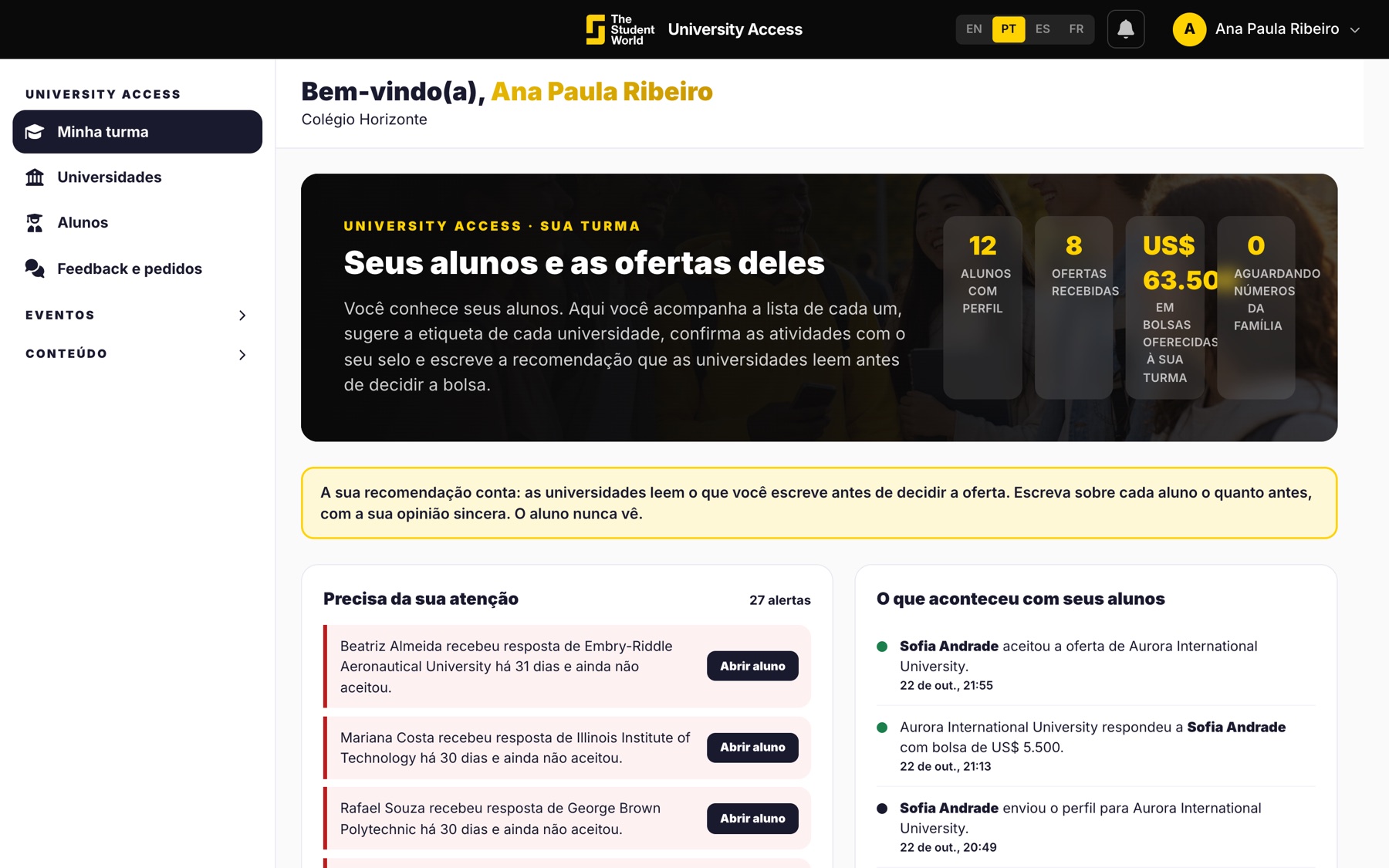
  • You see the stage of each student in the class.
  • The family follows offers and deadlines.
  • The application stays where it has always been: on the university's website.
Class on the counselor's screen

See the five steps with a sample class.

In 30 minutes we show the student area, yours and the family's. If you would rather start now, the school account is at no cost.

Keep reading

Other University Access pages.