For high schools How it works Replies with scholarships What the counselor sees Families Prep courses Profile test and SAT/ACT Fairs and events More For students For universities Universities on University Access All courses Blog Start here Book a presentation Support Create my school's account Sign in Sign in Counselors Students Families FPP Hub Create my school's account

Families

Parents understand the price. You stay in charge of the counseling.

The family area shows the child's list, the cost after the scholarship, the offers and the deadlines. Parents approve the budget. The student decides with you.
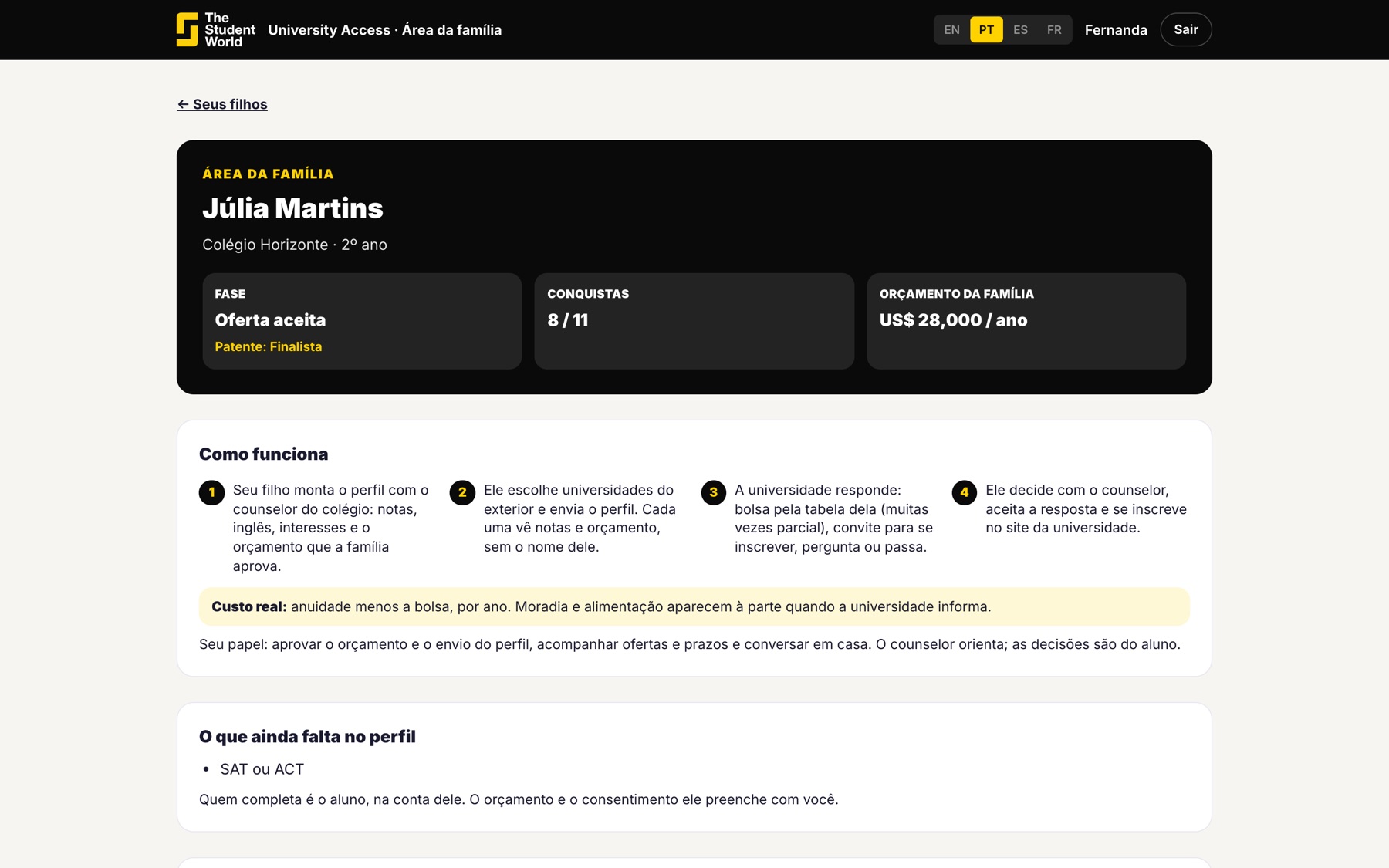
Family area with the child's data

Explained for people who do not work in international education

The family sees four steps, what real cost means and everyone's role. In Portuguese, English, Spanish and French.
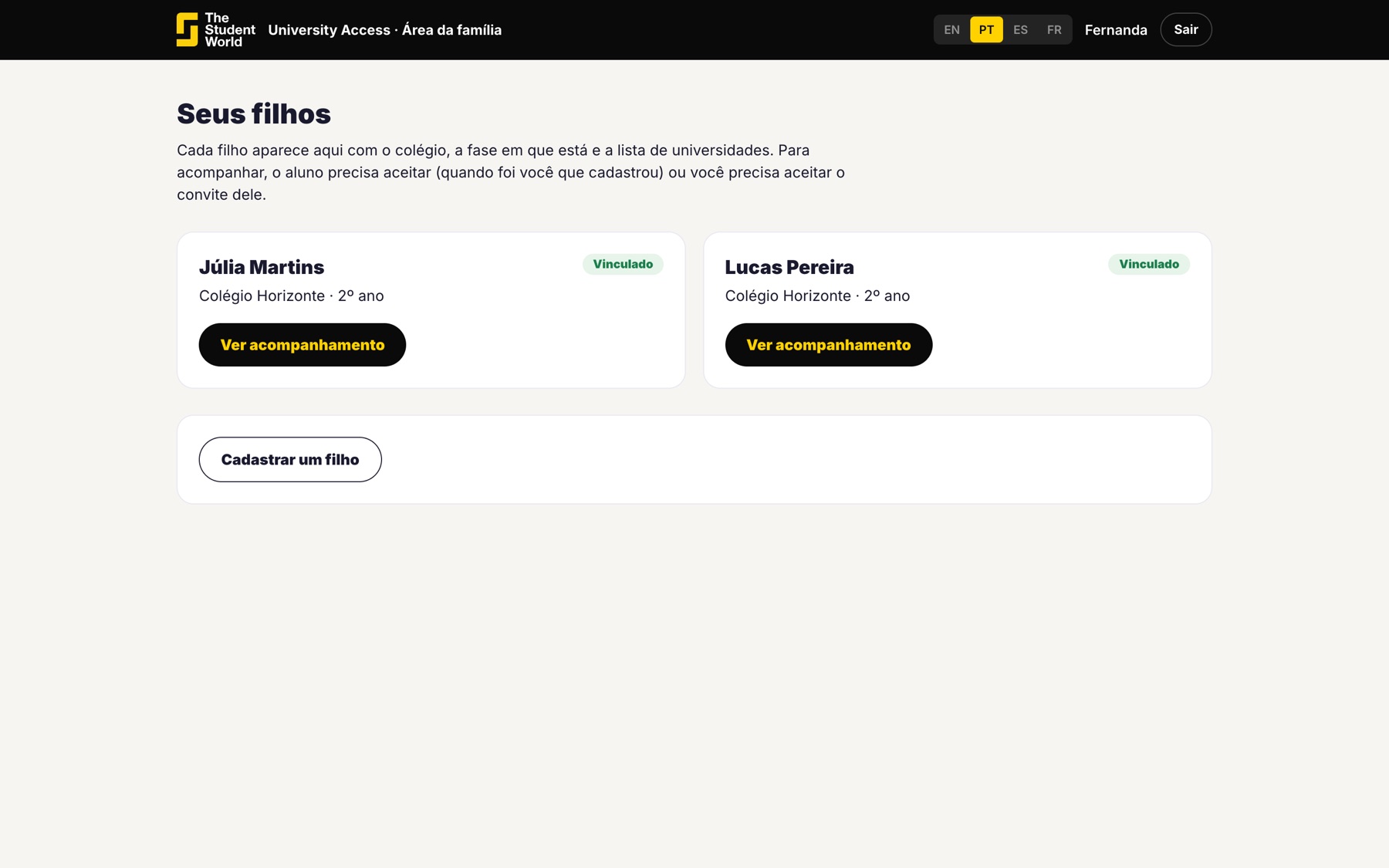
  • The student invites a parent or guardian themselves.
  • The guardian can also register the child, who accepts in their own account.
  • No university sees the family's contact details.
Family area home

Budget and authorization

The family says how much it can invest per year and authorizes sending the profile. Universities see a range, never the exact number.
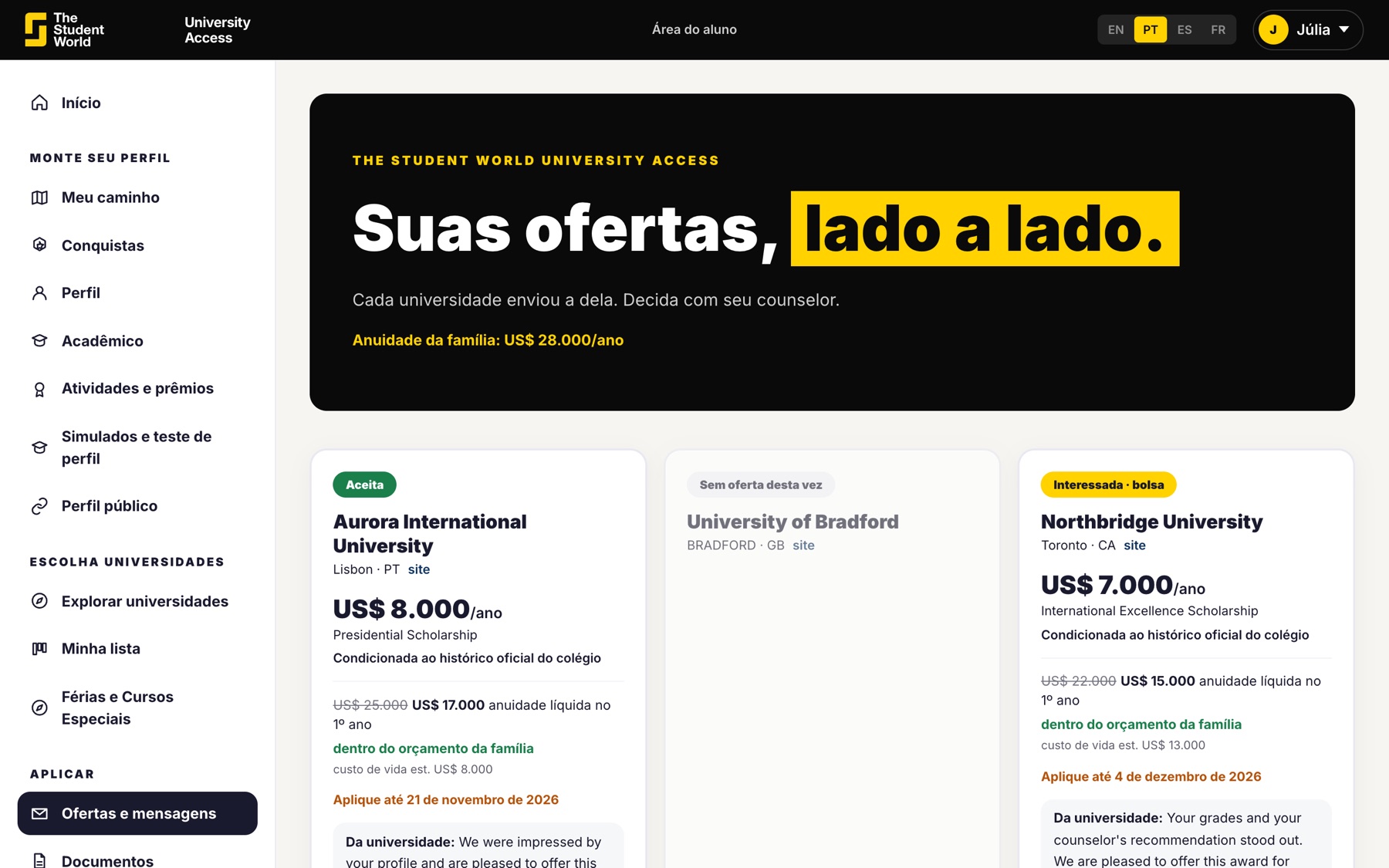
  • That range is what universities reply to.
  • Minors: the guardian approves before anything is sent.
  • The authorization is recorded in the student's account.
Offers with the yearly cost

A parent's question does not become your inbox

The family asks through its own area. The Student World team replies by email, with a copy to you.

  • Costs, scholarships, deadlines and what to do now.
  • The reply goes out in the family's language.
  • You see what was asked.
The family following the child

Show this at the parents' meeting.

Create the school account and invite families through the student. If you want to rehearse first, in the presentation you sign in as a guardian.

Keep reading

Other University Access pages.