For high schools How it works Replies with scholarships What the counselor sees Families Prep courses Profile test and SAT/ACT Fairs and events More For students For universities Universities on University Access All courses Blog Start here Book a presentation Support Create my school's account Sign in Sign in Counselors Students Families FPP Hub Create my school's account

What the counselor sees

You stay at the center. With one screen, not a spreadsheet.

The whole class in one place: stage, list, offers and deadlines. Your recommendation goes to the universities. Your seal confirms the activities. The student sends the profile. You follow along.
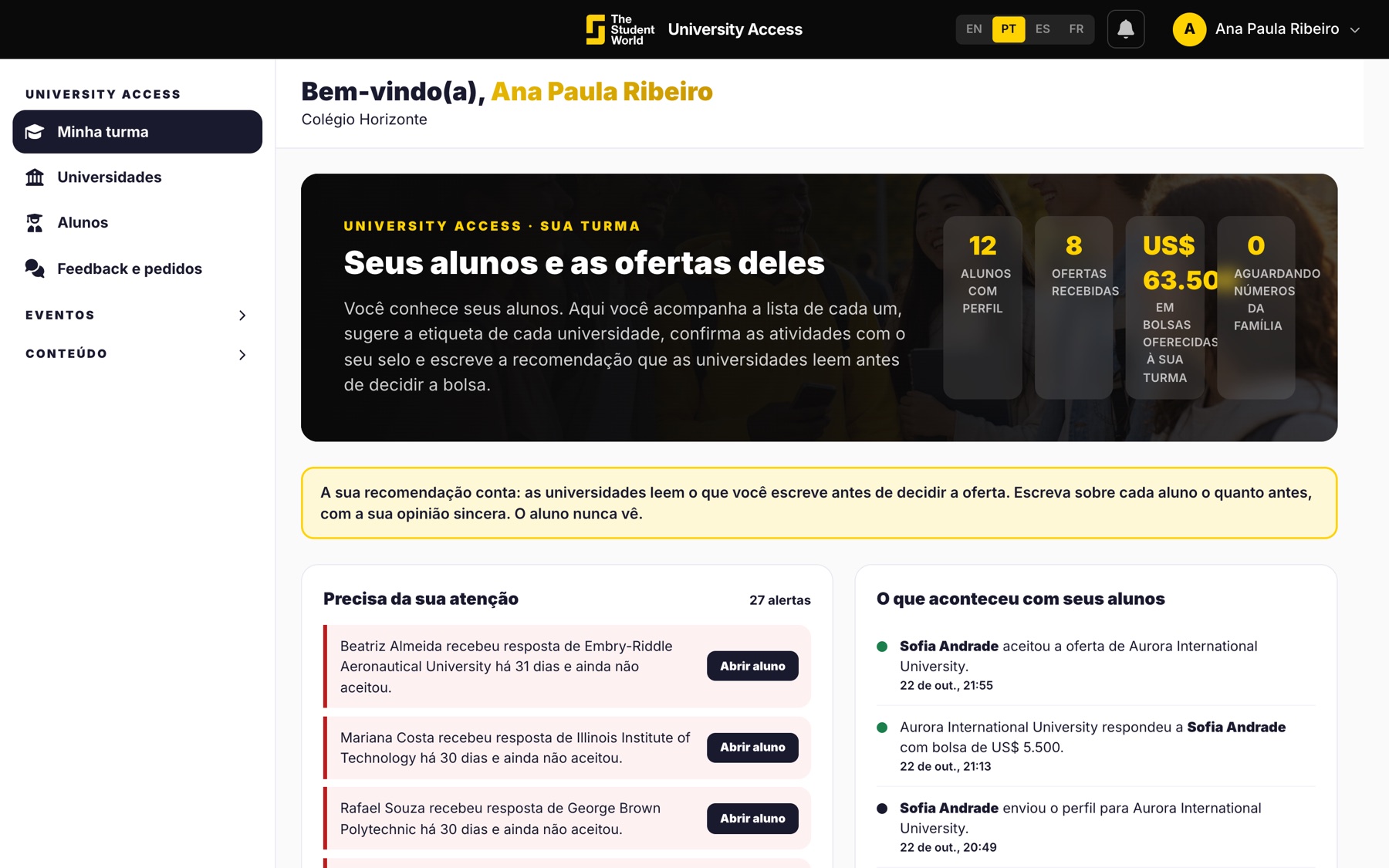
Class list in the counselor area

Who is at each stage

Who is still building the profile, who has sent it, who has received a reply, who has accepted. The screen tells you what needs your attention.

  • Alerts: reply not yet accepted, stalled profile, student without your recommendation.
  • You do not send on the student's behalf.
  • The timeline shows what happened.
Class at different stages

The recommendation only the university reads

A short text about the student. Universities read it before deciding the scholarship. The student never sees it. It is the part only you can do.
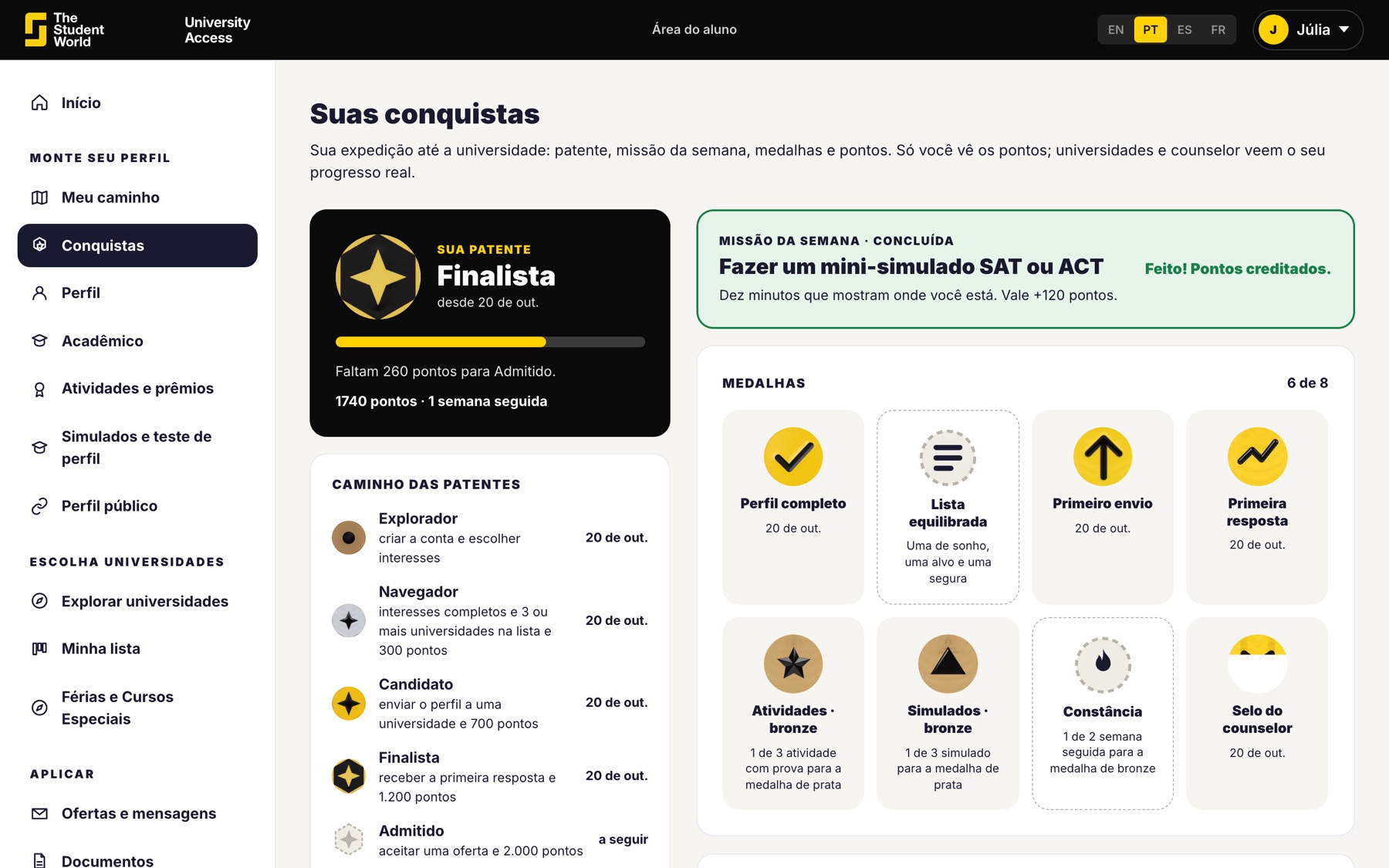
  • A seal on the activities you confirm.
  • Label suggestion: dream, good option or most likely.
  • The school year is confirmed by you.
Student activities with the counselor's seal

The universities, without signing in

Tuition, scholarships, requirements, programs and rankings they provide themselves. The list is public: you can send the link to students before they sign up.
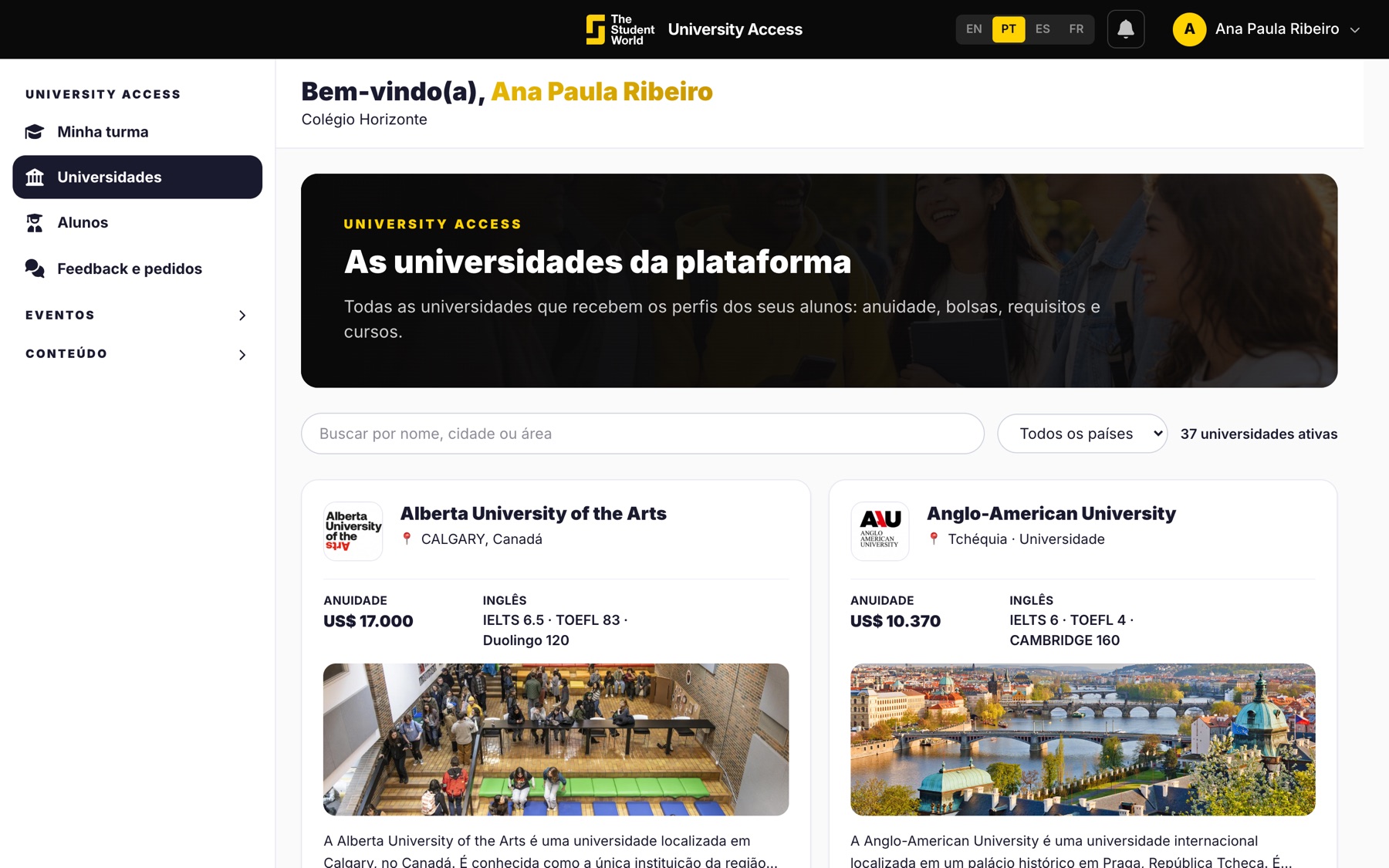
  • The list opens without login.
  • Each university joins as a member, as at the fairs.
  • The final application stays on its website.
University list in the counselor area

Step into a sample class.

In the presentation you see a counselor account with students at different stages. If you already get it, create the school account now.

Keep reading

Other University Access pages.