For high schools How it works Replies with scholarships What the counselor sees Families Prep courses Profile test and SAT/ACT Fairs and events More For students For universities Universities on University Access All courses Blog Start here Book a presentation Support Create my school's account Sign in Sign in Counselors Students Families FPP Hub Create my school's account

Replies with scholarships

The student sees the tuition with the scholarship already applied.

The university replies based on what the student reported. It can be a scholarship from the grade table, a scholarship with its own amount, an invitation to apply or a no. Some confirm the amount only after the application on their website, and the student knows that from the reply. The student compares the yearly cost and decides with you.
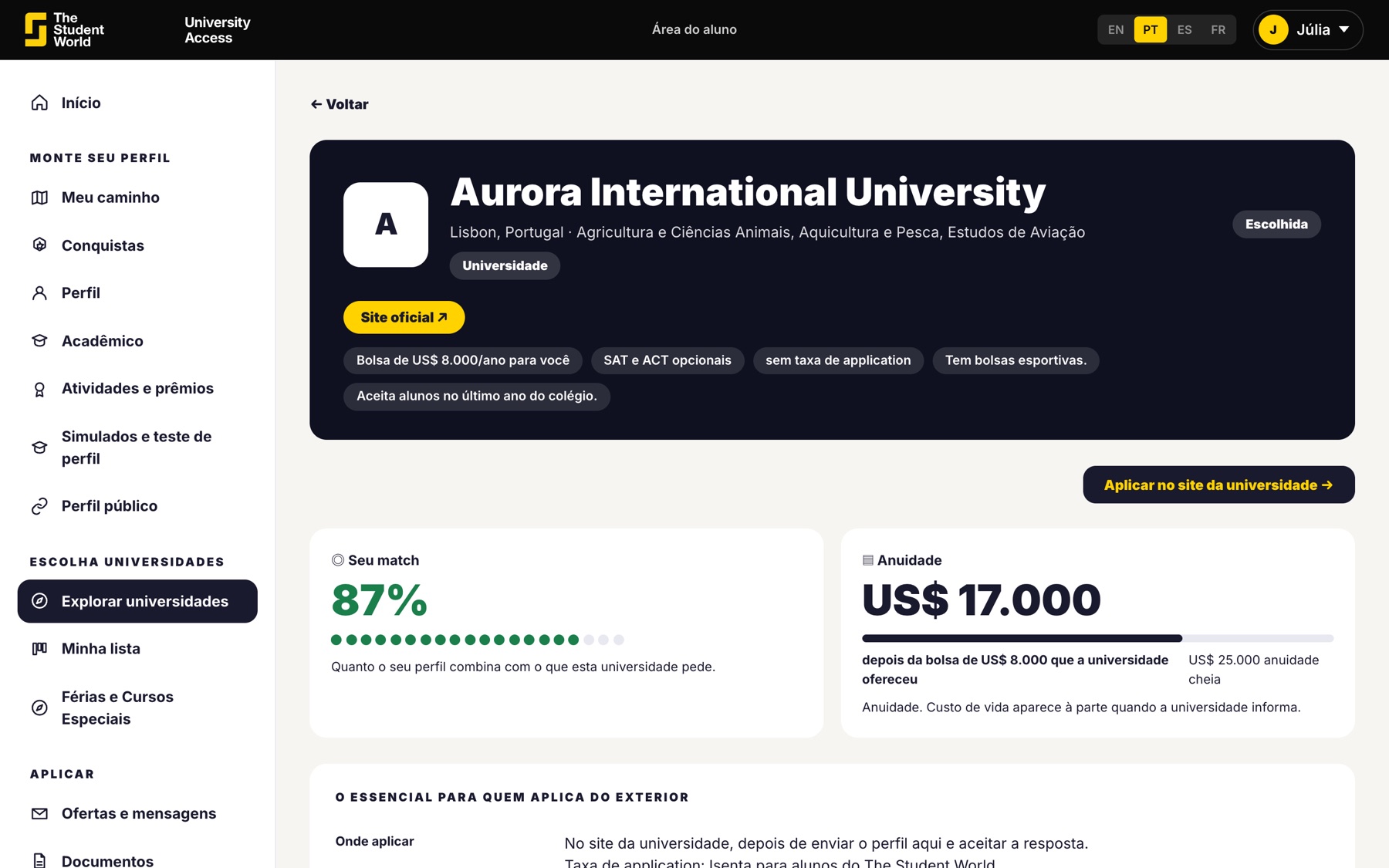
A university page with scholarship data

The table is public. The cost is the family's number.

The university provides tuition, cost of living and the minimum scholarship for students from partner schools. The portal shows what the family would pay per year.

  • An estimate from the grades, before sending the profile.
  • The offer amount, after the reply.
  • Housing and meals listed separately, when the university provides them.
Tuition and scholarship data for a university

Four possible replies

A scholarship from the table, a scholarship with a different amount, an invitation to apply (the scholarship comes later) or a no. All on the same screen.
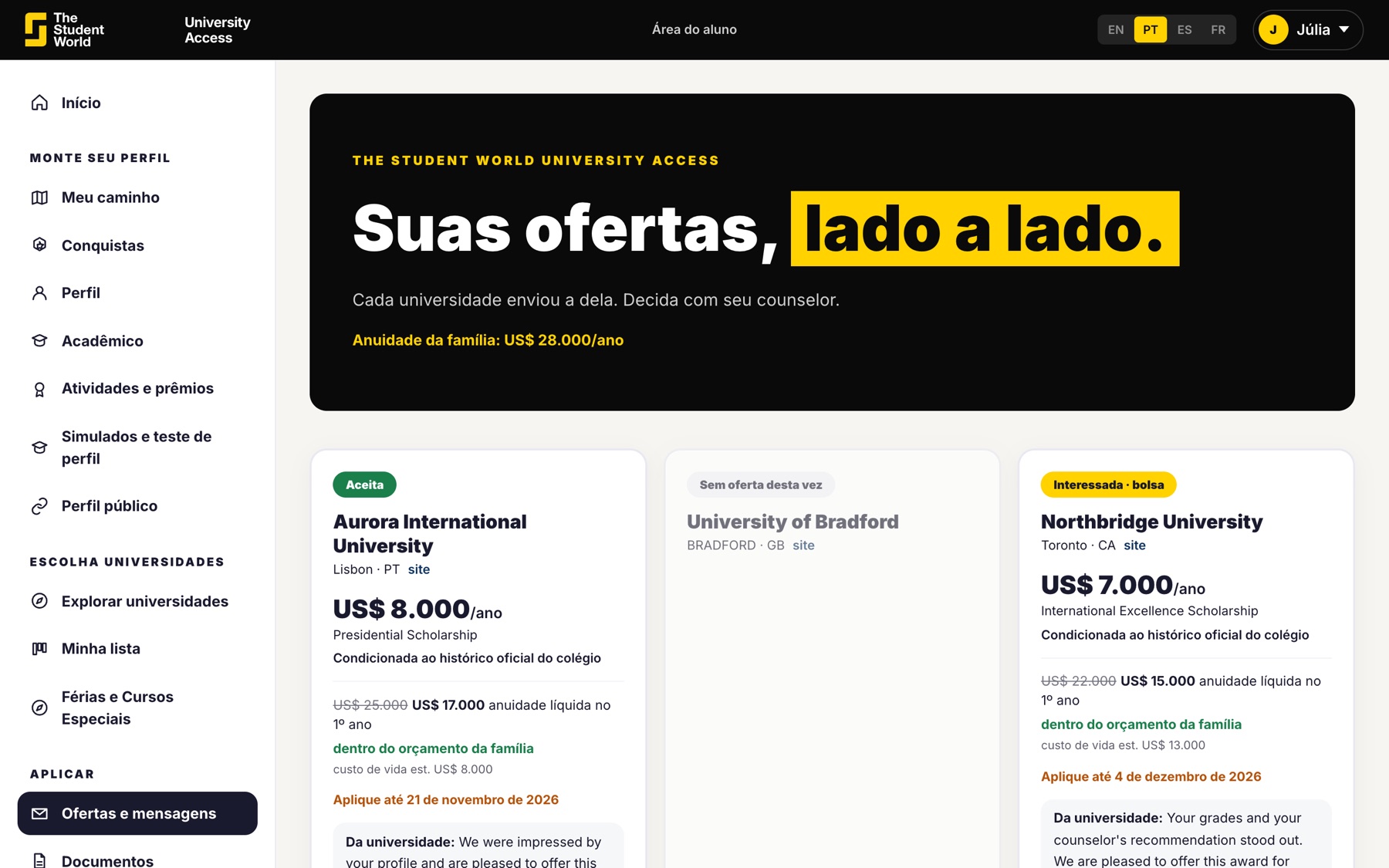
  • The student's contact details only go out when they accept.
  • The offer depends on the school's official transcript.
  • You see the offers for the whole class.
Offer comparison

The student decides, with you and with the family

The reply arrives with the university's message. The platform imposes no deadline. The family sees the same number as the student.
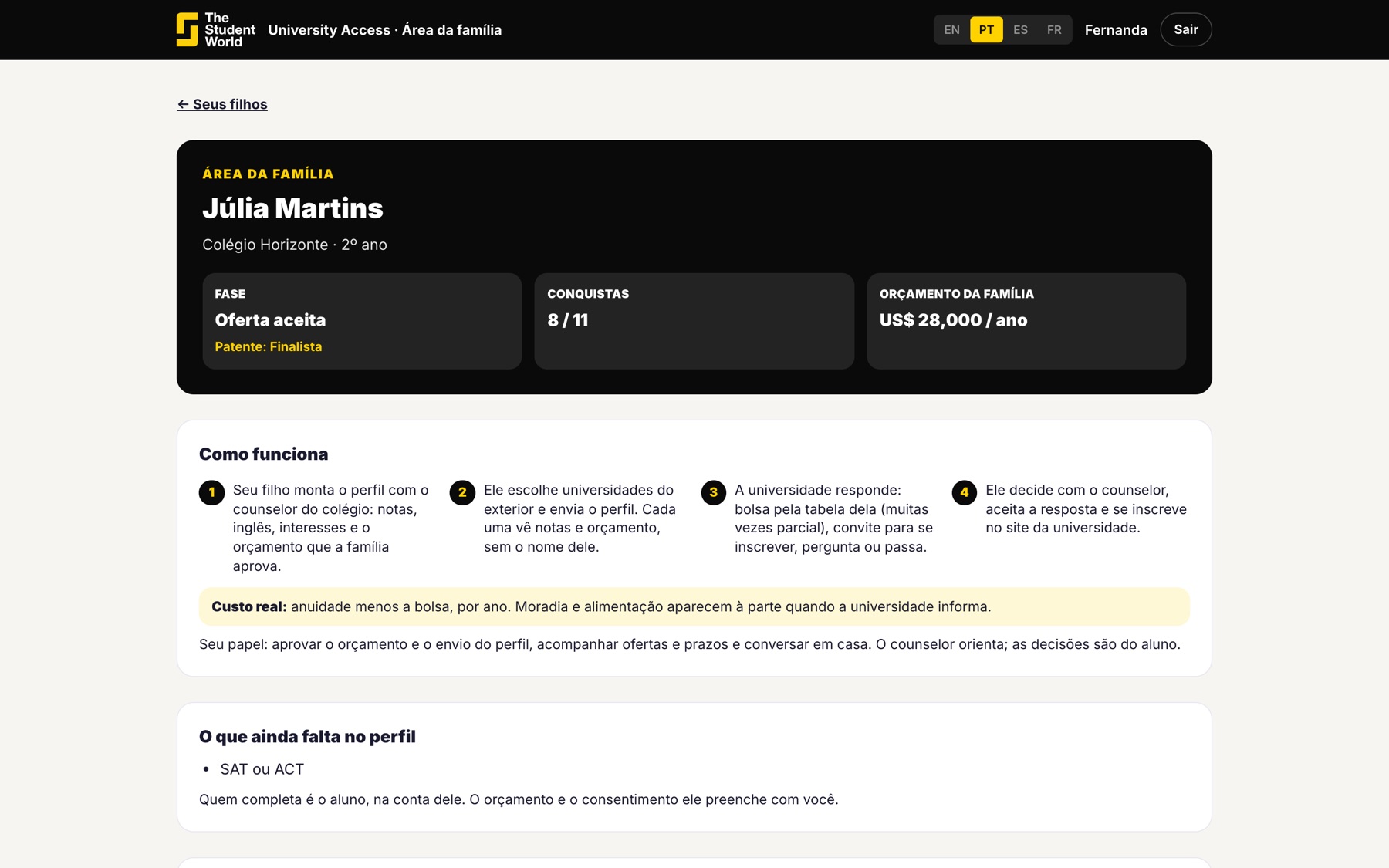
  • Offers are sorted by what the family would pay.
  • The university sees a budget range, never the family's exact amount.
  • Minors: the guardian approves before anything is sent.
Family area with the child's offer

Want to see a real reply?

In the 30-minute presentation we open a sample account with an offer already accepted. Or create the school account and invite your students.

Keep reading

Other University Access pages.