For high schools How it works Replies with scholarships What the counselor sees Families Prep courses Profile test and SAT/ACT Fairs and events More For students For universities Universities on University Access All courses Blog Start here Book a presentation Support Create my school's account Sign in Sign in Counselors Students Families FPP Hub Create my school's account

Support

Talk to the people who already serve your school.

If your school already uses University Access or takes part in the fairs, write here. The message reaches The Student World team and the right person replies by email.

Counselor in conversation

For those already partners

Questions about the account, students, universities, fairs and promotional material. If it is something else, the team forwards it.
  • You get the reply by email.
  • If needed, we set up a short call.
  • The data is used only to answer this request.
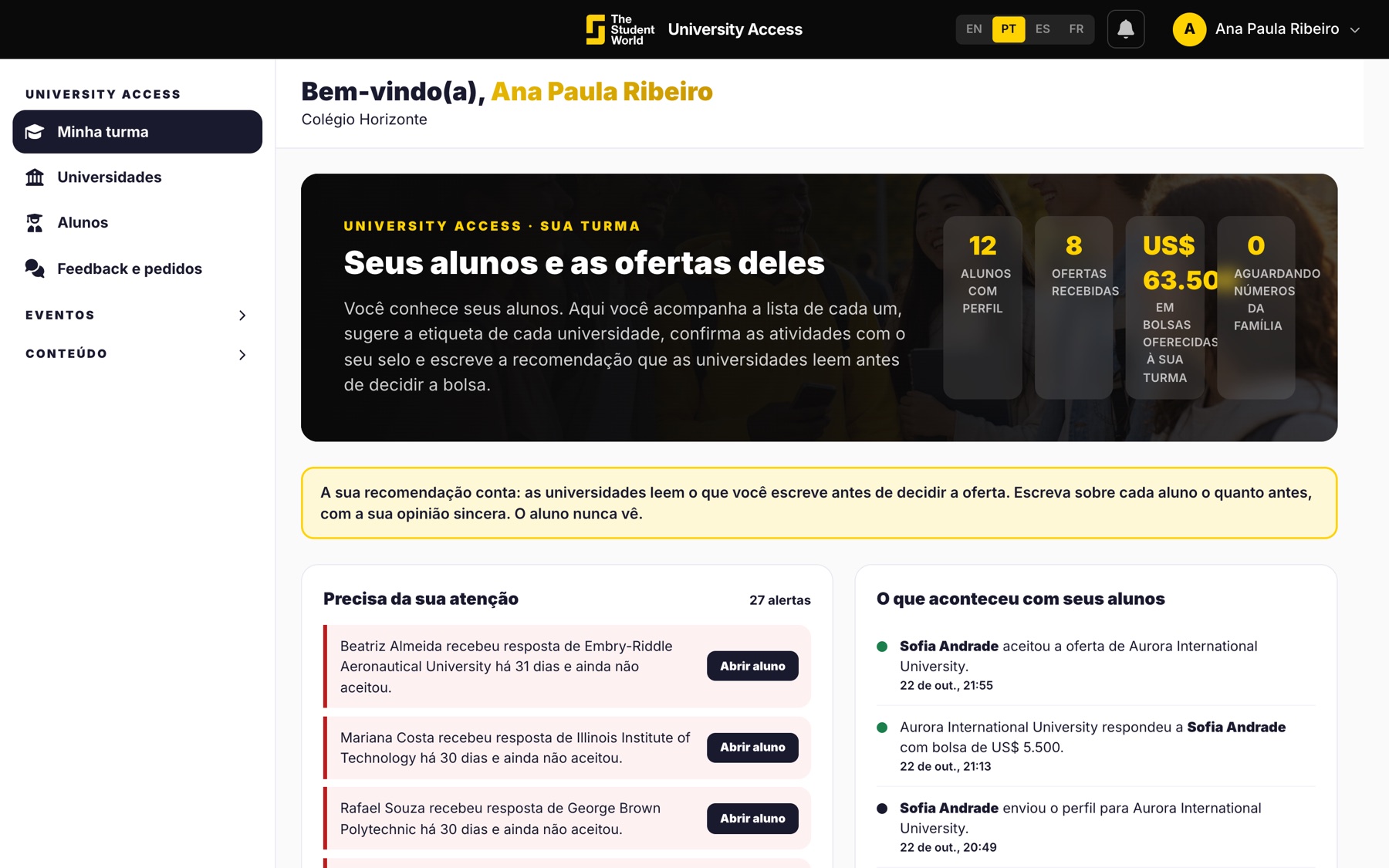
Screen the partner school already uses

For those still to create the account

Support does not replace sign-up. The school account is the direct route: no cost, no card, ready in a few minutes. The 30-minute presentation is the other door, if you want to see the screens first.
  • Create the school account.
  • Book the presentation.
  • Students and families sign in with their own accounts, in the footer.
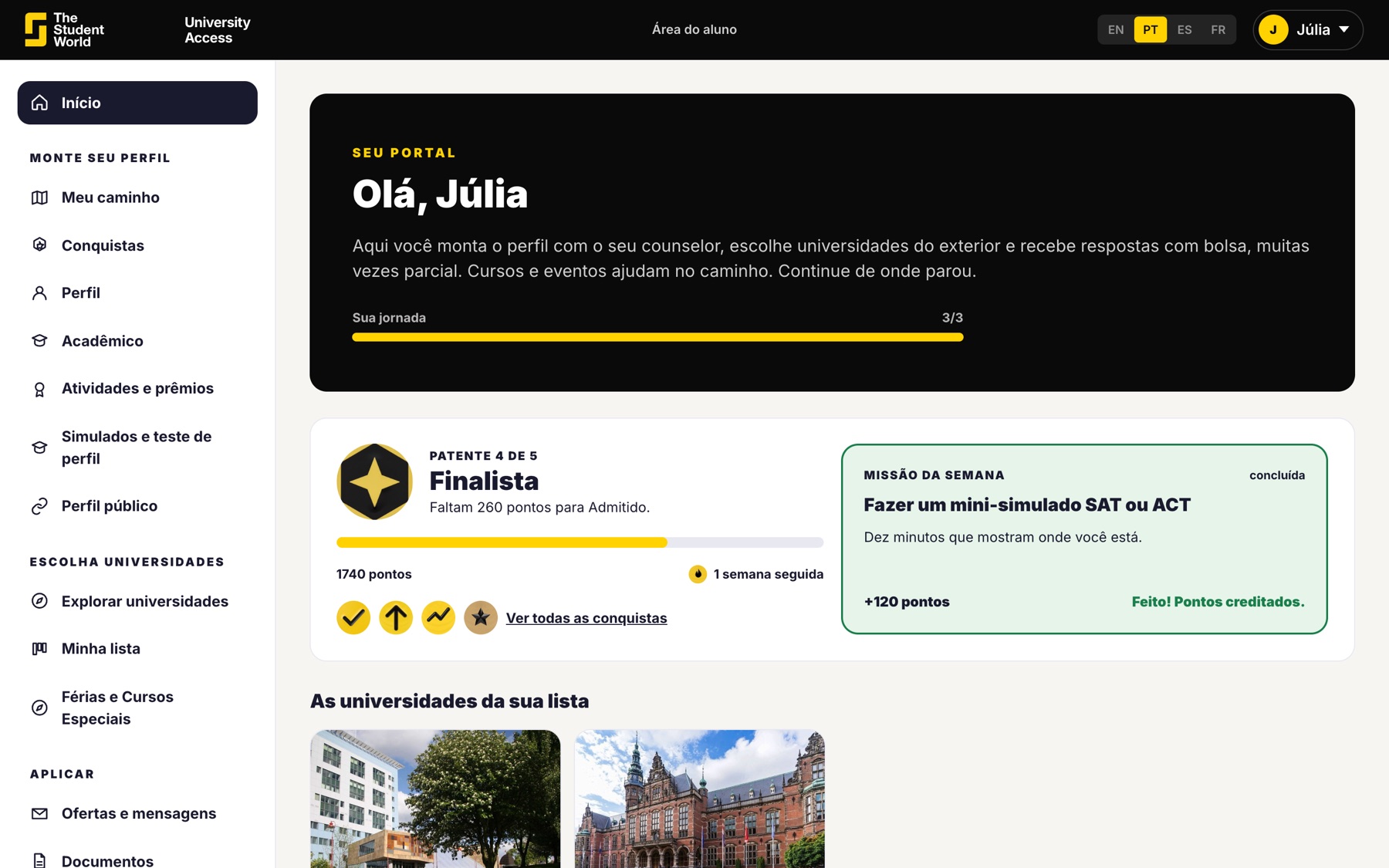
Student area

Three entrances, so nothing gets mixed up

Counselor, student and family have separate accounts. Each one signs in through their own. That keeps a parent from landing on your screen, or a student in the family area.
  • Counselors: the school account.
  • Students: the student account.
  • Families: the parent or guardian account.
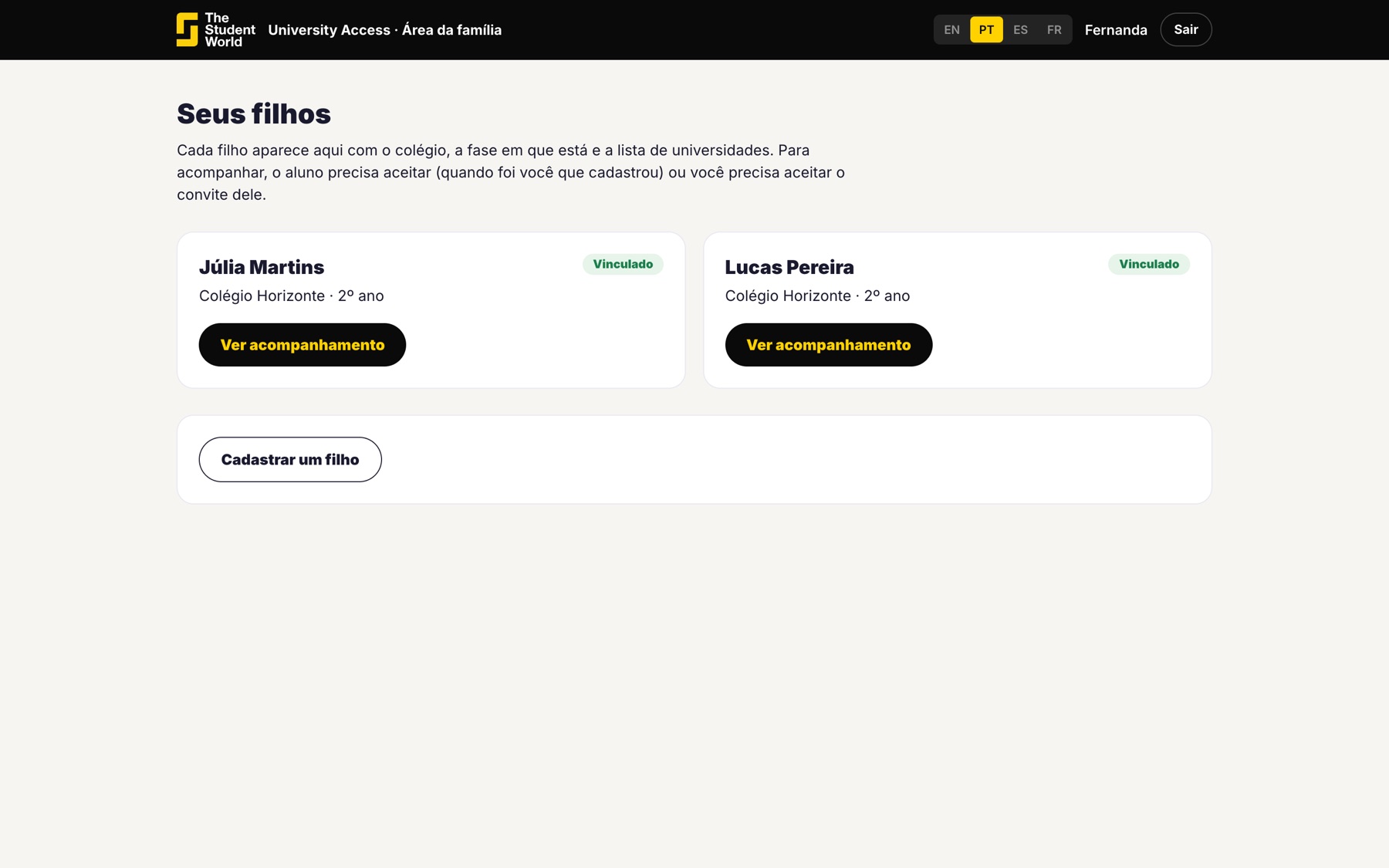
Family area home

If the question is how to start, create the account.

If the question comes from someone already using it, write to support. Both doors are on this page.

Keep reading

Other University Access pages.