For high schools How it works Replies with scholarships What the counselor sees Families Prep courses Profile test and SAT/ACT Fairs and events More For students For universities Universities on University Access All courses Blog Start here Book a presentation Support Create my school's account Sign in Sign in Counselors Students Families FPP Hub Create my school's account

Universities on University Access

The list is public. You can send it to students today.

Each university provides tuition, the minimum scholarship for platform students, requirements, programs and rankings. You look without creating an account. The student, with an account, chooses who can receive their profile.
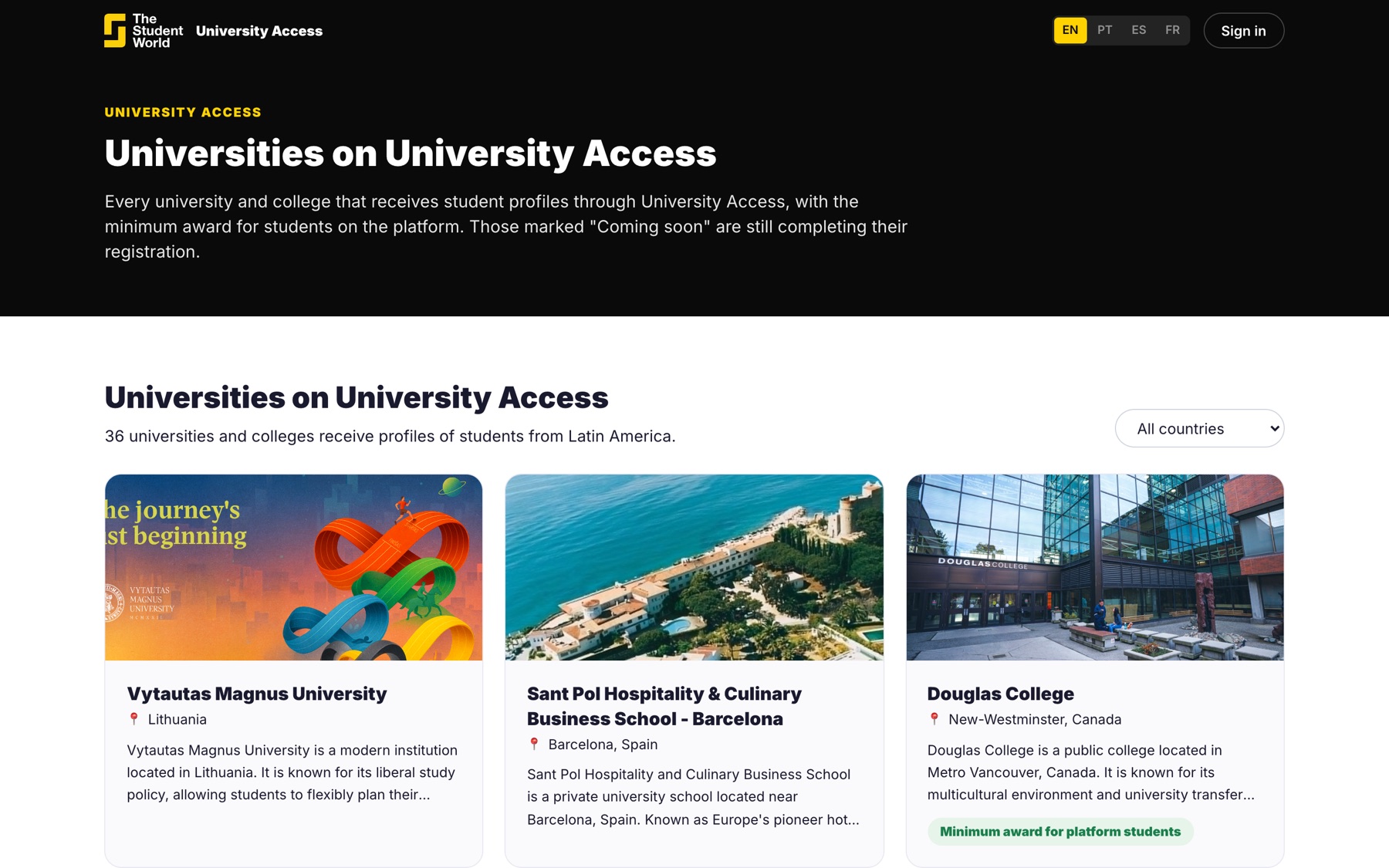
Public university directory

What is on each page

The data the university itself published: what the year costs, the minimum scholarship it offers to students from partner schools, what it asks for in grades and English, and which website the student applies on at the end.
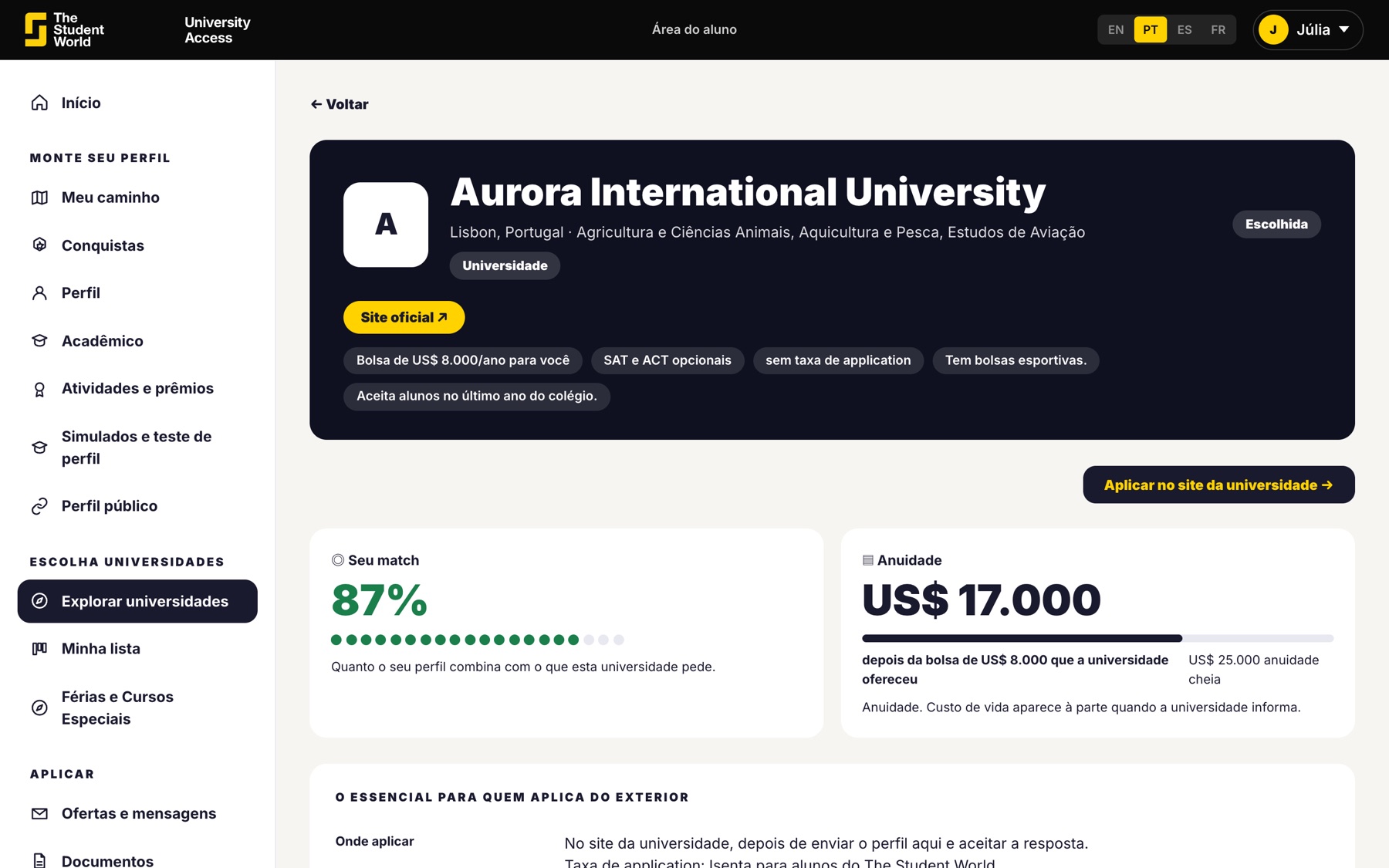
  • Useful for the meeting with the student and the family.
  • No login needed to view.
  • The list changes as new universities join.
A university page

Viewing the list does not send the profile

Looking is open to everyone. The profile only goes to a university if the student chooses that university and is in 11th grade or later, with the family's authorization when a minor.
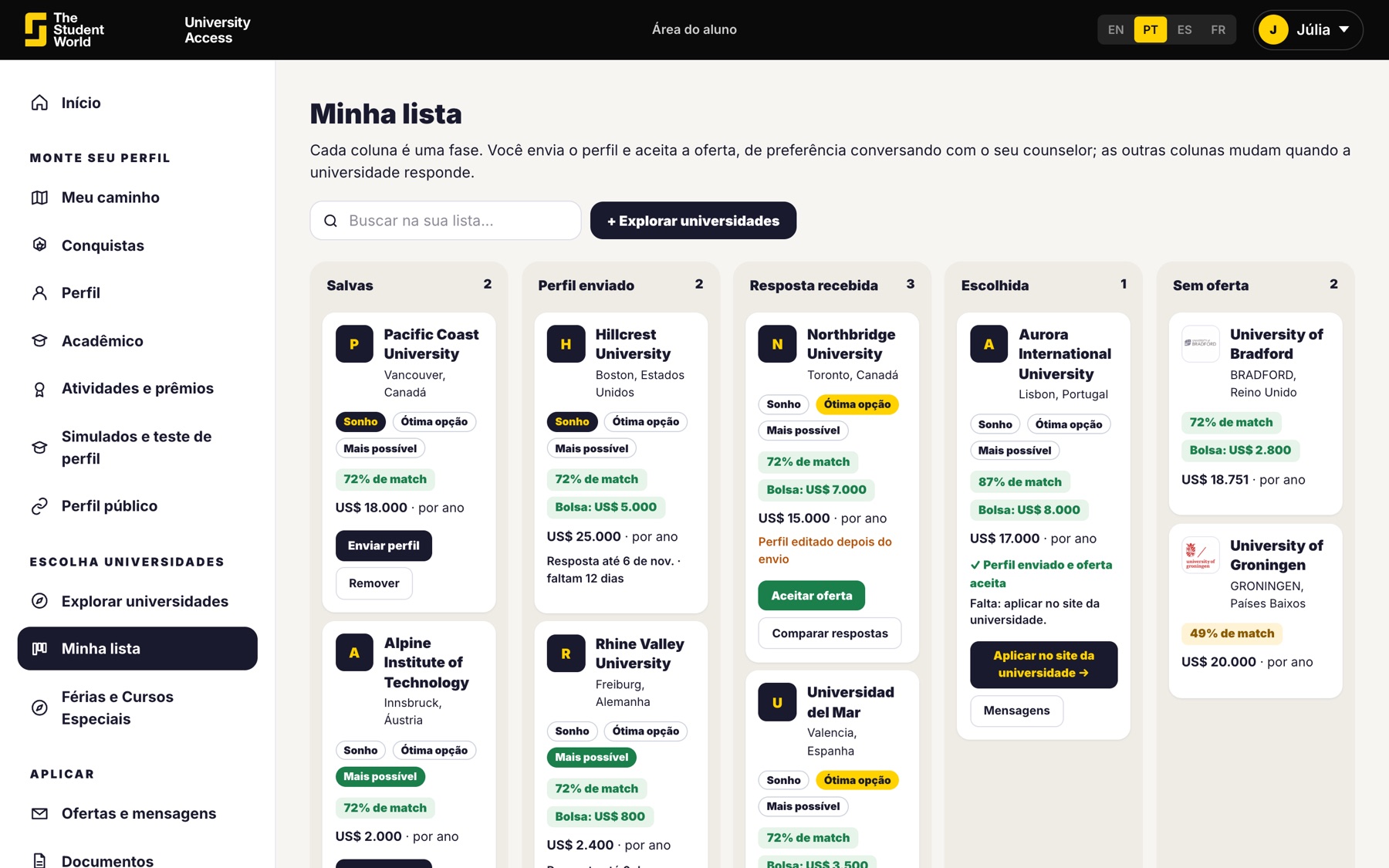
  • Before that, the profile test shows which ones match the grade average.
  • The university sees the first name, not the contact details.
  • Contact details only go out if the student accepts the reply.
List chosen by the student

For the class to really use the list

Create the school account and share the link. Students join through the school, build the profile and you follow who has already chosen universities.
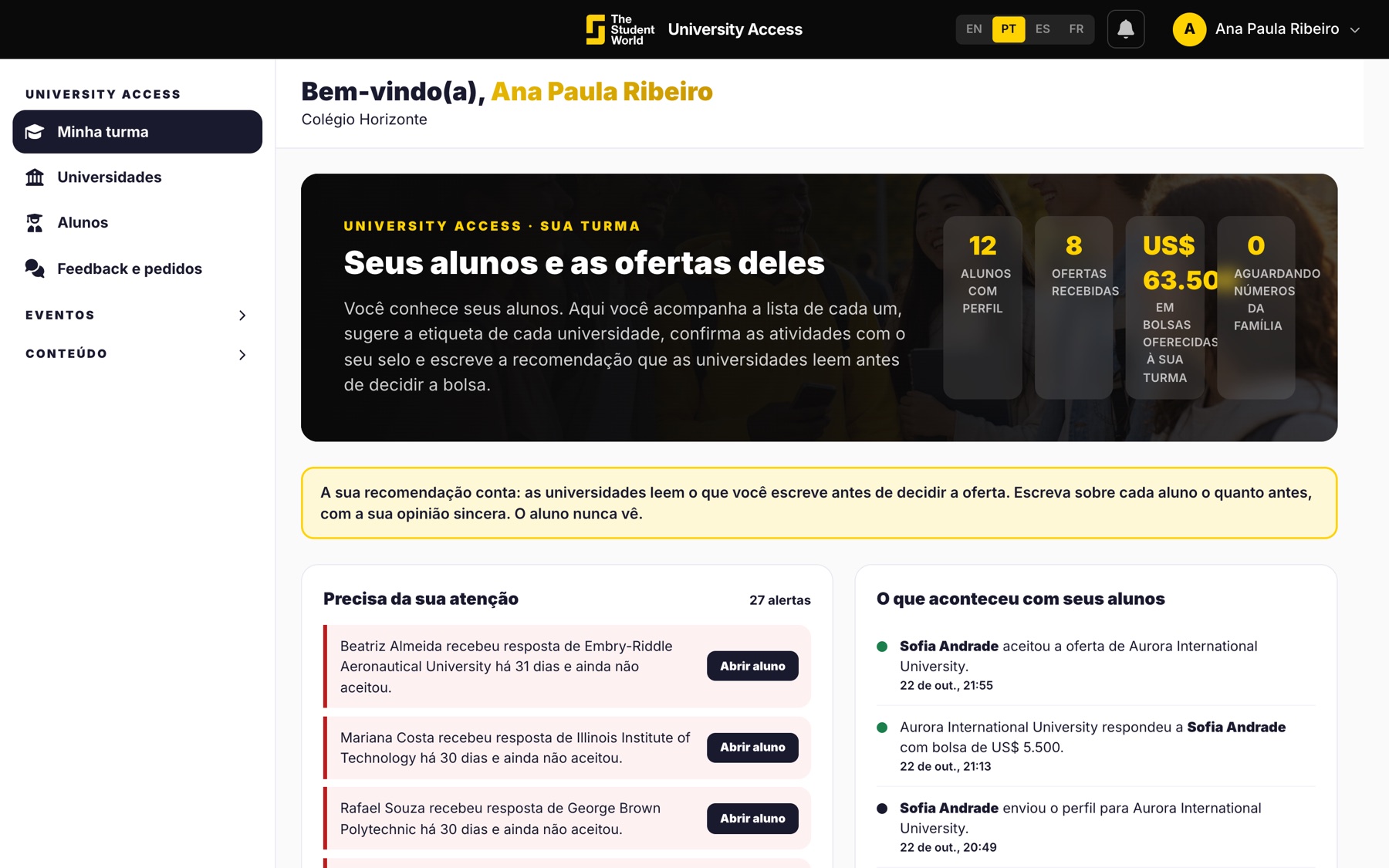
  • The school account is at no cost.
  • The student can also create an account directly, if the school is not on yet.
  • The family follows the same list.
Counselor viewing the class

Open the list. Then create the account so the class can join.

Both links are right above: the public list and the school account.

Keep reading

Other University Access pages.