For high schools How it works Replies with scholarships What the counselor sees Families Prep courses Profile test and SAT/ACT Fairs and events More For students For universities Universities on University Access All courses Blog Start here Book a presentation Support Create my school's account Sign in Sign in Counselors Students Families FPP Hub Create my school's account

For universities

The university sees the profile and replies with its own scholarship.

It is not an auction. The family gives a budget range. The university decides on its own, by its scholarship table and the profile. The student's contact details only appear if they accept.
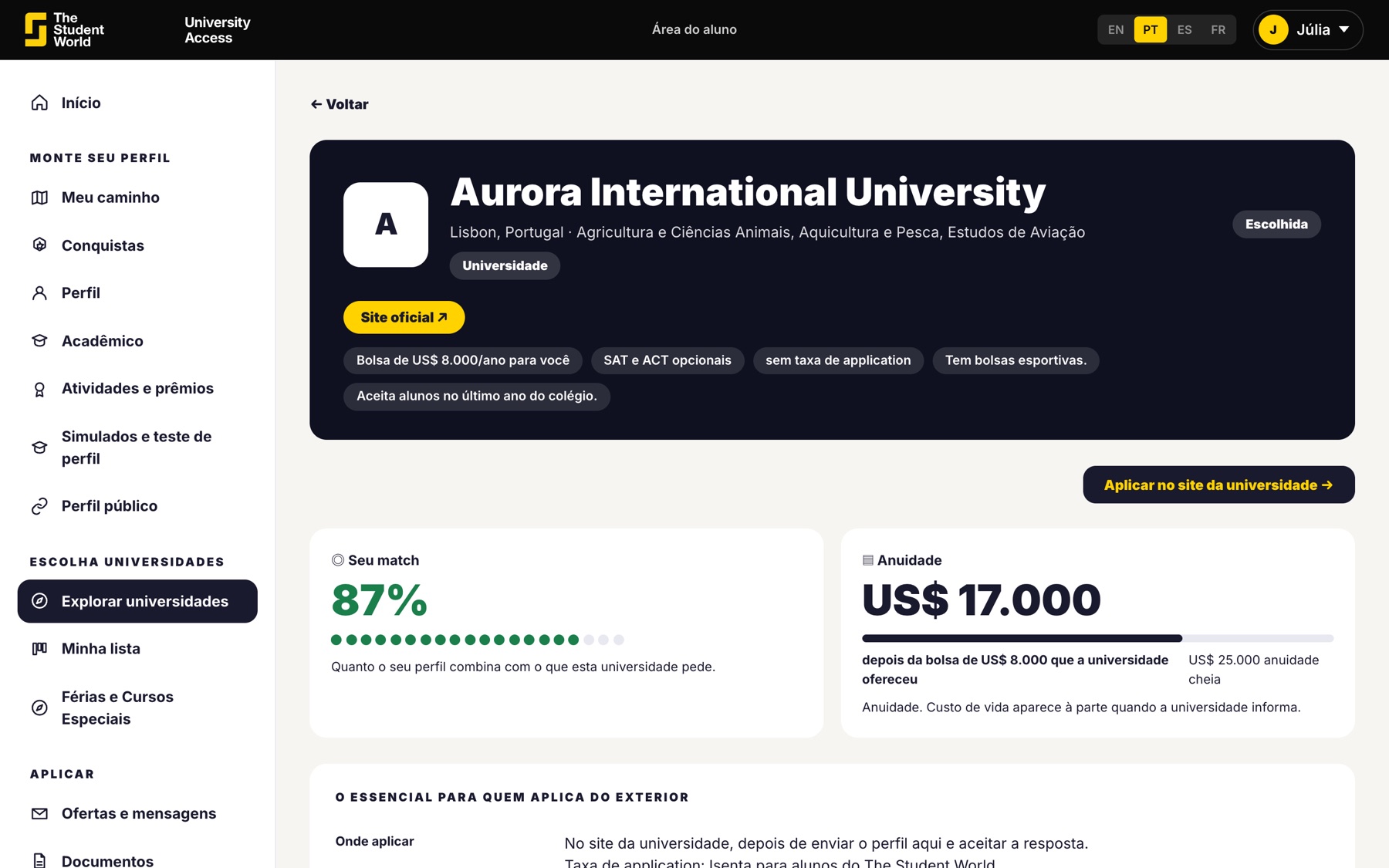
How the university appears to the student

What the university receives

From 11th grade on, the profile of students who chose that university: grades, English level, activities and the counselor's recommendation. The student appears by first name.
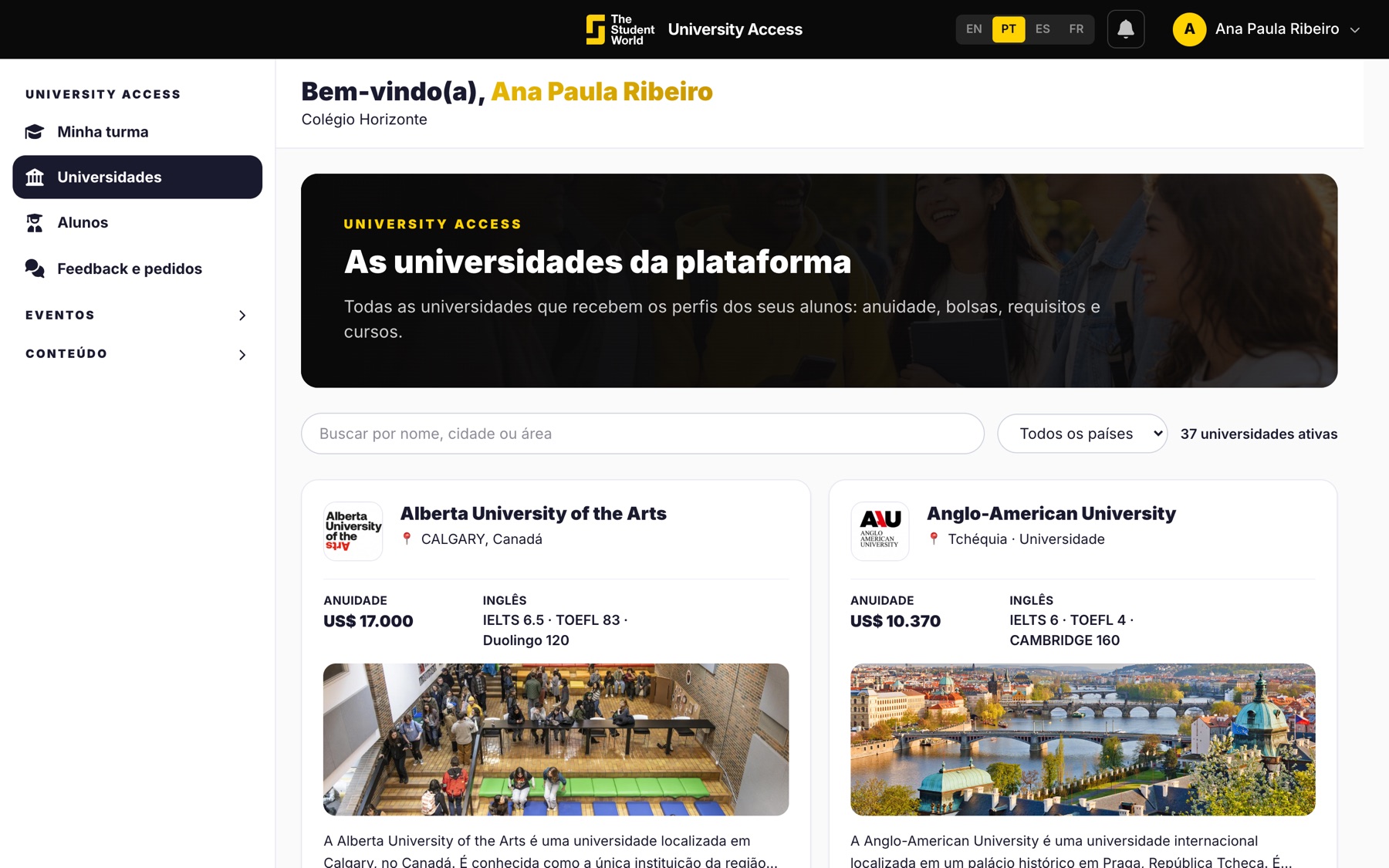
  • The counselor's recommendation is not visible to the student.
  • Confirmed activities carry the school's seal.
  • The budget comes as a range, never as an exact amount.
Universities on the platform

What the university replies

A scholarship from the grade table, a scholarship with a different amount, an invitation for the student to apply or a no. The application stays on the university's own website.
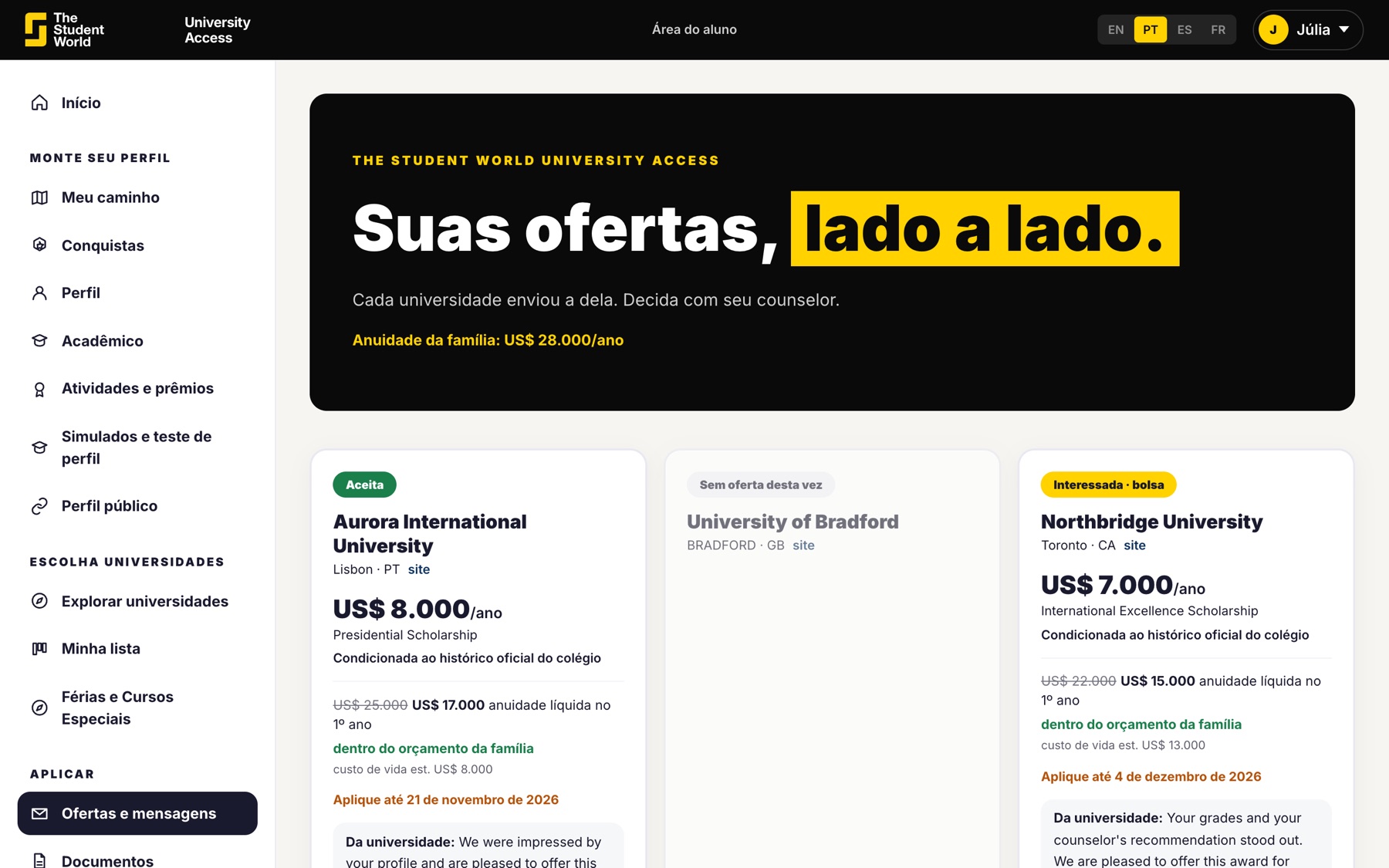
  • The scholarship for platform students is set by the university.
  • The platform imposes no deadline.
  • The student's contact details are only released if they accept.
Reply with a scholarship on the student's screen

How the university joins

The same way it joins a The Student World fair: as a member. That is why schools and students use University Access at no cost. The request to join is in English, because the team that replies is international.
  • If you are from a university, use the request to join.
  • If you are a counselor, your way in is the school account.
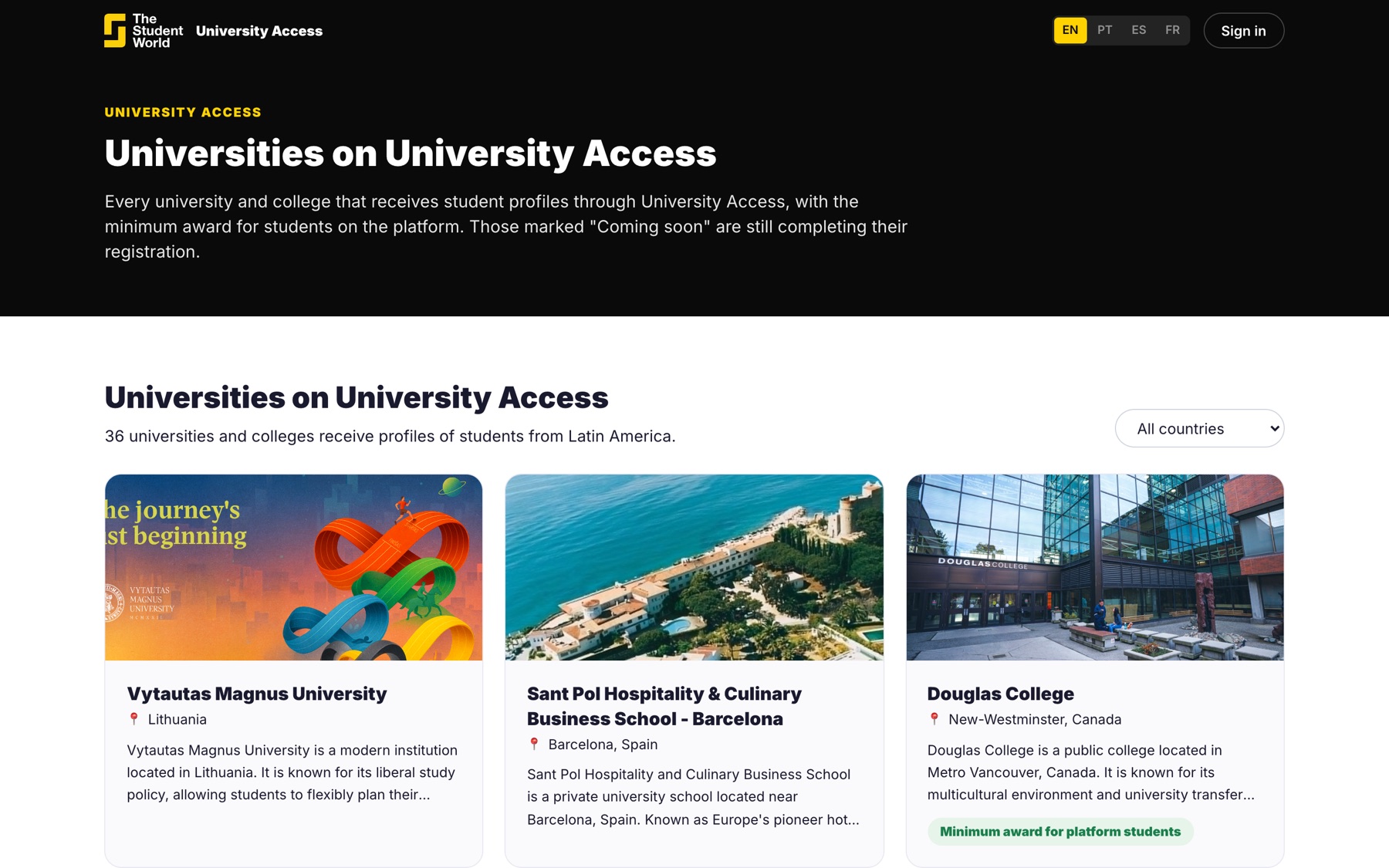
  • The public list shows who is already on the platform.
Public university list

Counselor: create the school account.

University: request to join. The form opens in English.

Keep reading

Other University Access pages.